

FORZA 614 programming options for Fiat Doblo Dashboard
If you run an auto electronics workshop or an instrument cluster repair business, you have almost certainly encountered this exact dashboard. The Fiat Doblo (along with several other models across the Fiat line-up) is notorious for recurring dashboard glitches, display blackouts, and gauge failures.
In this article, we take an in-depth look at the circa 2015 Fiat Doblo instrument cluster, its internal component architecture (95160 + R5F61543 MCU), common hardware failures, and how FORZA 614 helps you diagnose, stress-test, and program these units on the workbench or in the vehicle.
Fiat Doblo dashboard 95160 Odometer reset software on the bench
Dashboard Hardware
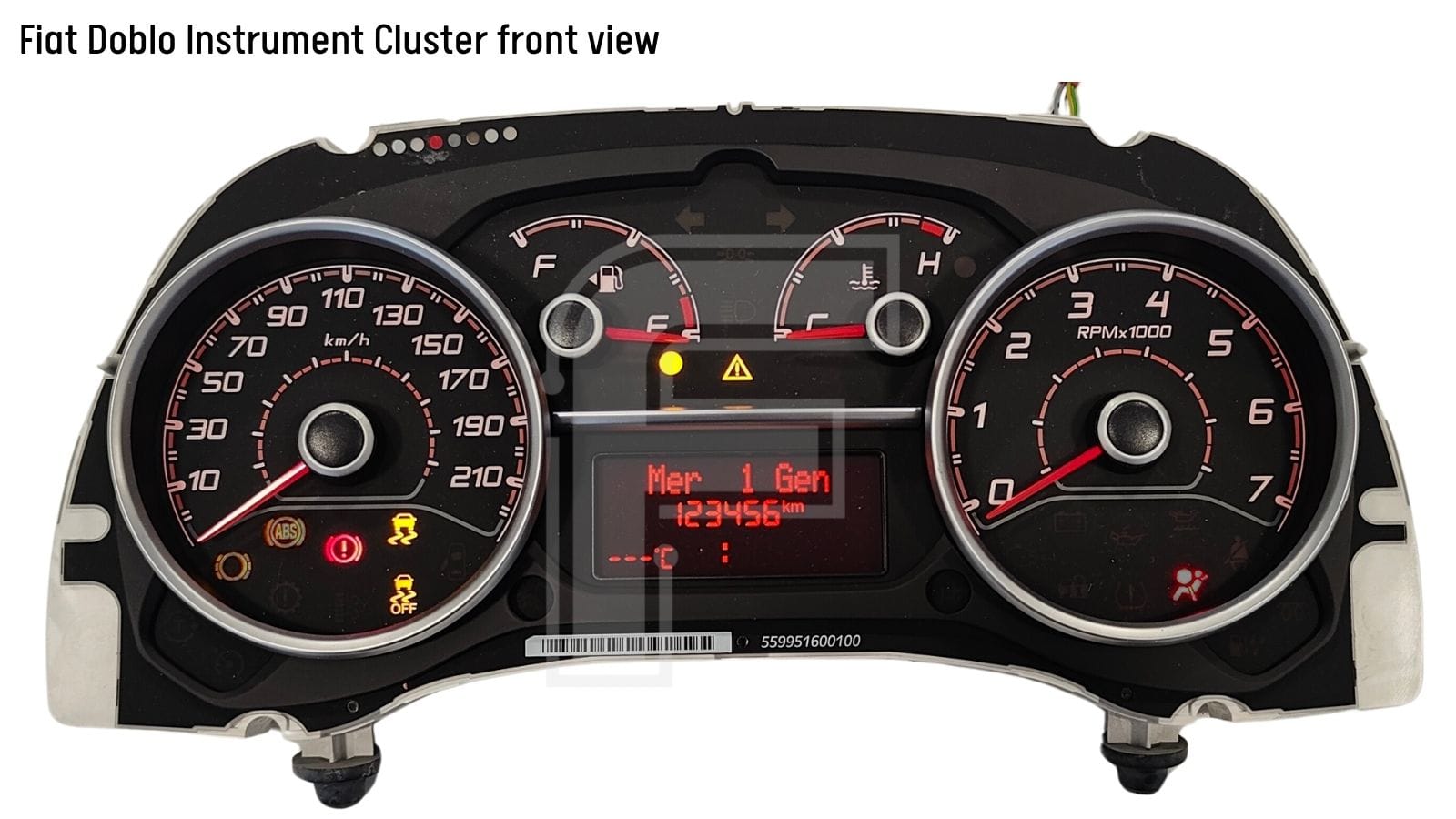
Visually, this Fiat Doblo cluster features an elegant, highly readable design framed with stylish chrome accents.
Reading the cluster layout from left to right:
- Speedometer gauge,
- Fuel level gauge,
- Engine temperature gauge,
- Tachometer (RPM) gauge,
- Central LCD Display: A rectangular digital screen mounted at the bottom center—and the root cause of most customer complaints.
Under the hood, the electronic board is driven by a reliable dual-chip setup:
- Main MCU: Renesas R5F61543 (manages gauge sweep routines, logic, and CAN-bus gateway traffic),
- External EEPROM: ST 95160 (SPI memory storing cluster configuration, mileage counters, and vehicle parameters).
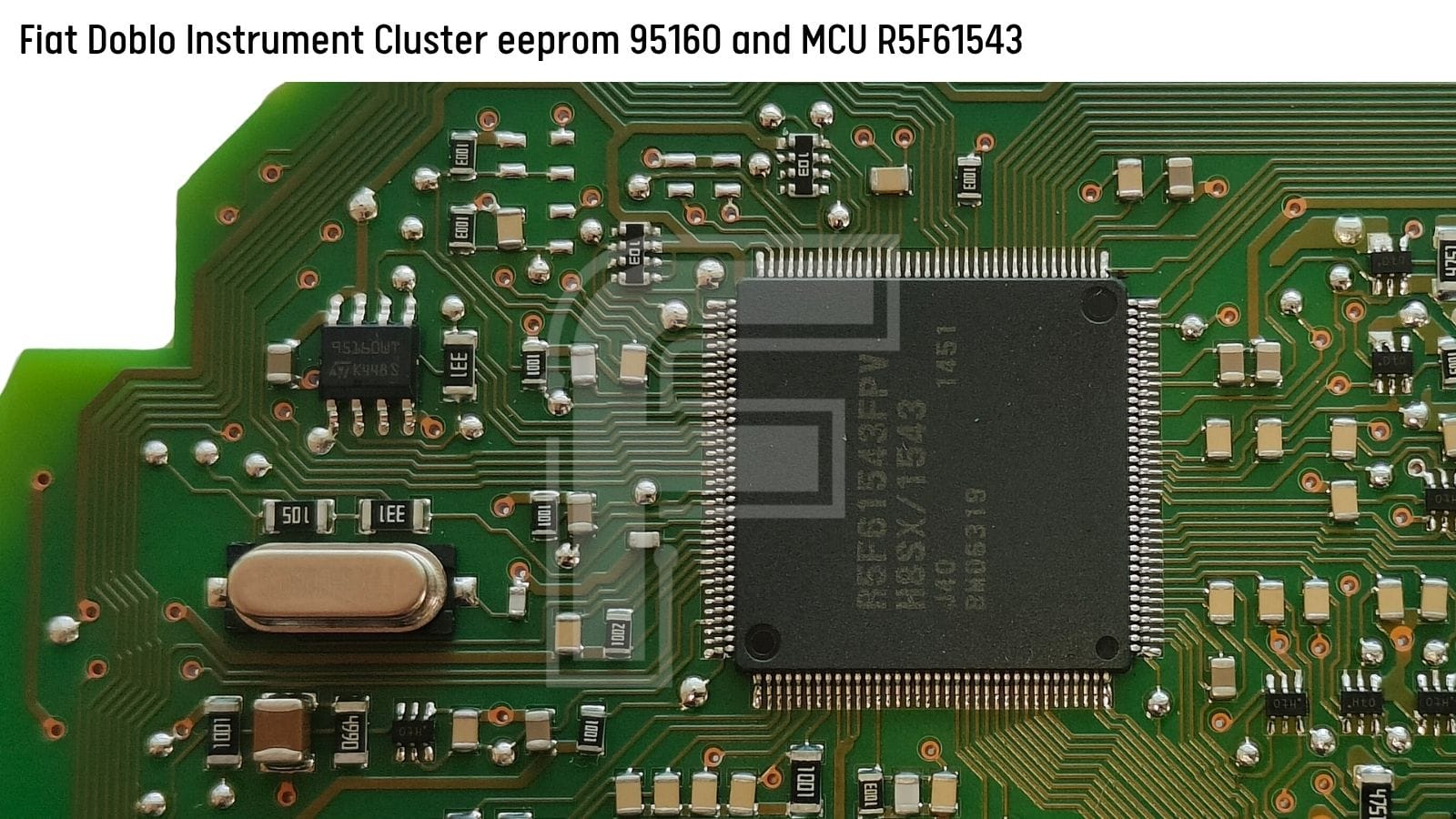
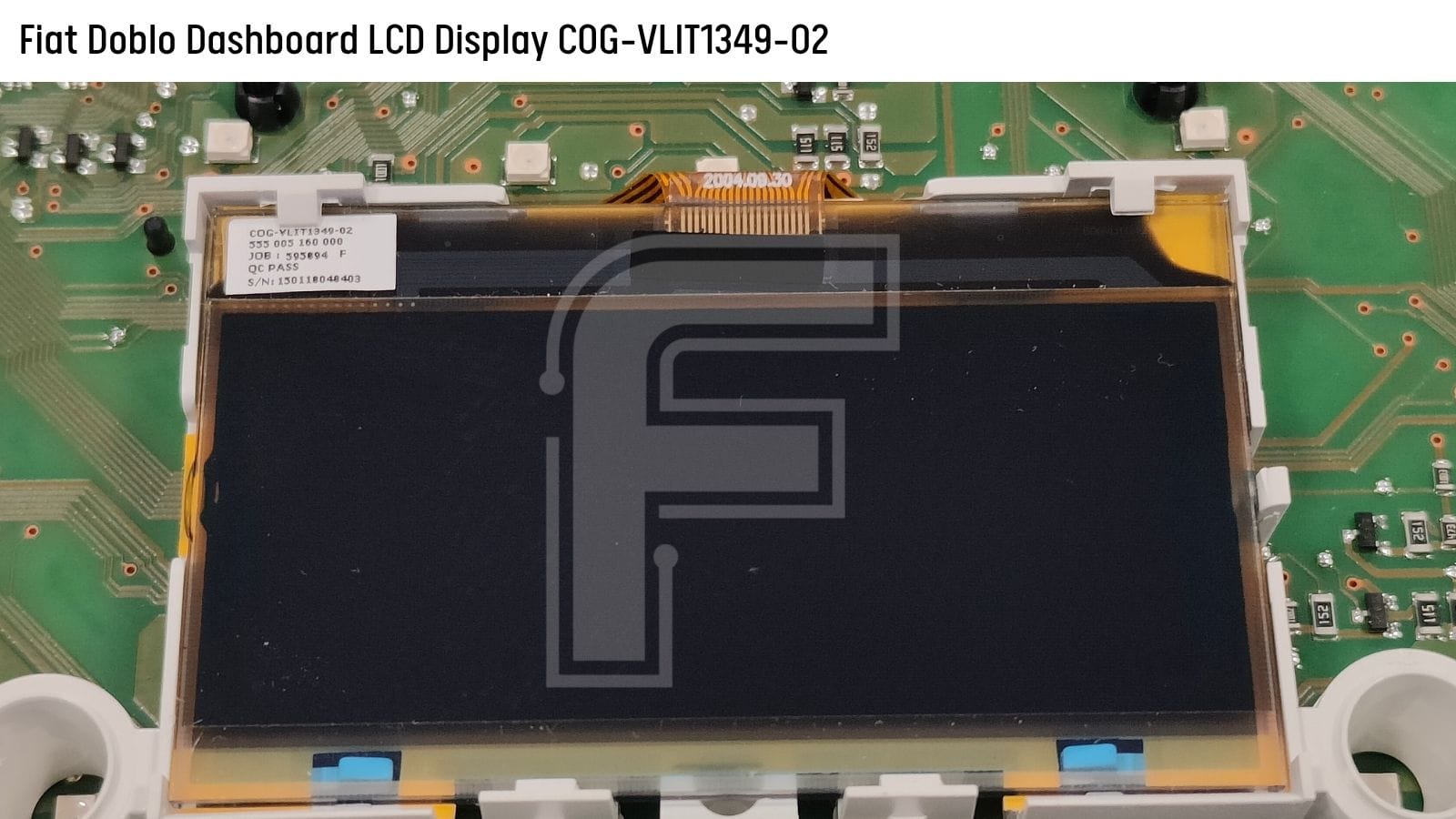
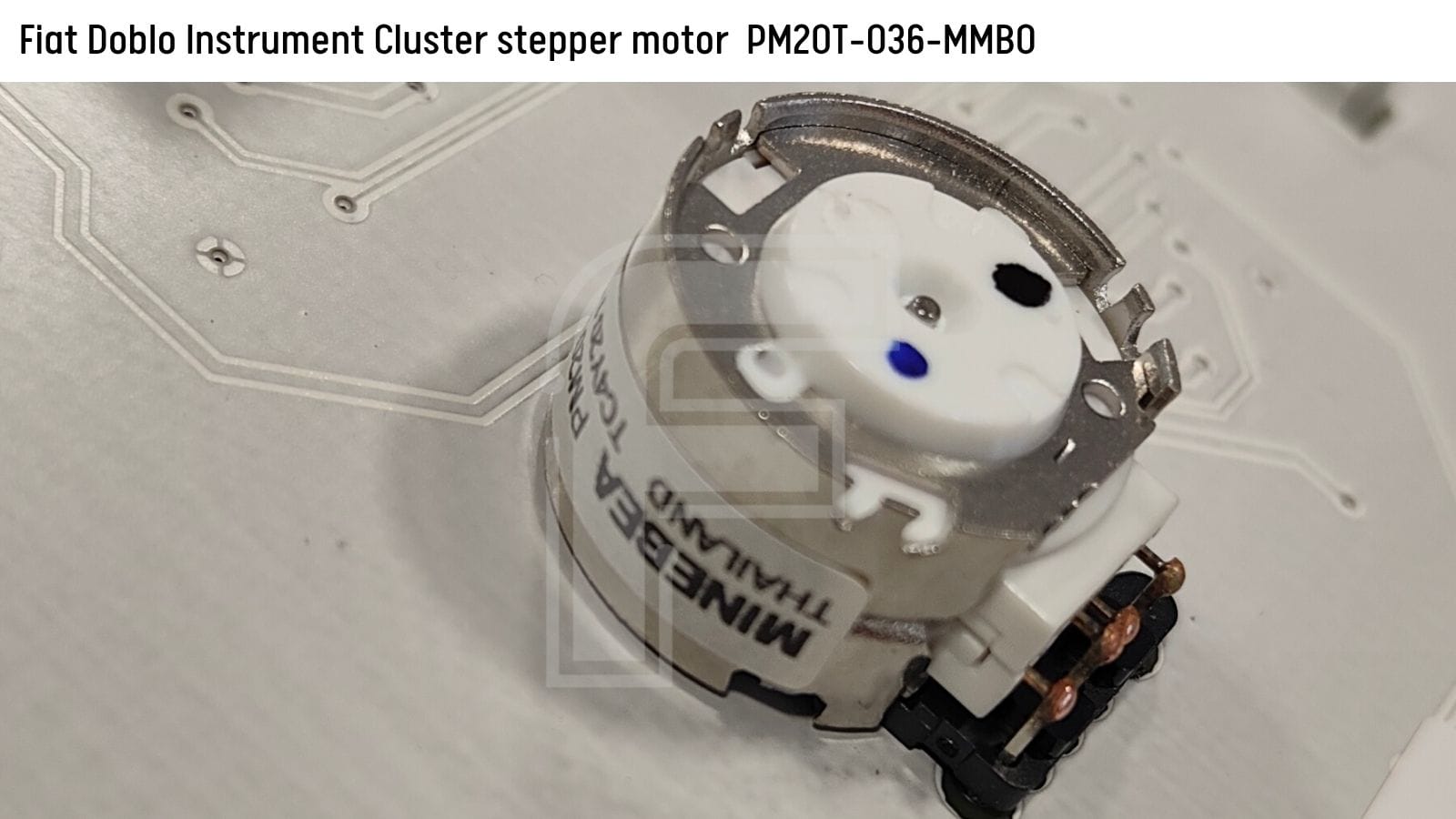
MCU: R5F61543
Eeprom: 95160
Display LCD: COG-VLIT1349-02
Stepper motors: PM20T-036-MMB0
The Most Common Failure:
Fiat LCD Display Breakdown
By far the #1 most frequent issue on these Fiat Doblo dashboards is display degradation.
Typical Display Complaints:
- Faded or burned-out LCD segments,
- Complete loss of contrast,
- Lines running horizontally/vertically across the screen,
- A totally black or blank center screen.
The Good News: Direct LCD Panel Replacement
When the display fails, you do NOT need to replace the entire cluster, nor do you need to program or code anything. Replacing the LCD module itself fixes the issue 100%.
🔍 Exact Display Part Number: COG-VLIT1349-02A Note on DIY "Civilian" Repairs
Workshops frequently receive clusters damaged by car owners or "DIY mechanics" attempting home repairs. In many cases, uncalibrated force or improper soldering iron temperatures leave the PCB traces torn, turning a 30-minute cluster repair into a complex PCB trace repair. This is strictly a job for specialists.
Additional Common Hardware Faults
Beyond display failure, Fiat Doblo clusters suffer from several other predictable electrical and mechanical issues:
- Total or Intermittent Power Loss: The cluster turns off randomly while driving or fails to boot when turning the ignition key.
- Erratic Stepper Motor Behavior: Needles stick, lag during sweeping, freeze mid-range, or stop moving entirely.
- Gauge Stepper Motor Part Number:
PM20T-036-MMB0
- Gauge Stepper Motor Part Number:
- Dashes (
------) in Place of Odometer: Indicates corrupt memory communication or invalid configuration data. - Flashing Odometer Reading: A classic Fiat CAN-bus desynchronization symptom.
💡 Pro-Tip for Flashing Odometer: When a Fiat cluster flashes its mileage digits, first attempt a Proxy Alignment procedure using a diagnostic scanner.
Bench Testing & Diagnosis with FORZA 614
When customers send you clusters via mail or drop them off at your workshop counter, you need a reliable way to power up, stress-test, and verify the repair on your desk.
This is where FORZA 614 becomes an indispensable workshop tool:
1. Instant Bench Boot & Stress Testing
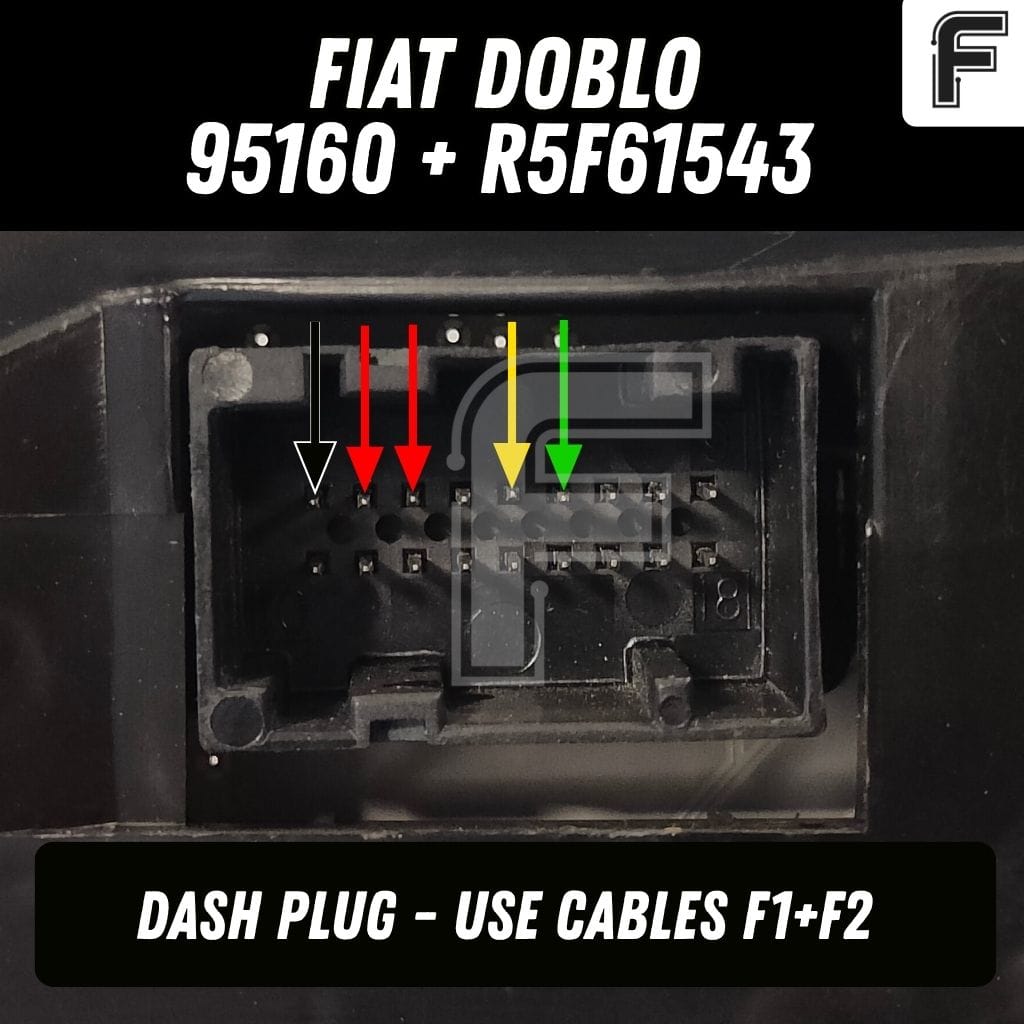
Using our F1 + F2 bench harness cables and the included high-definition Fiat Doblo Pinout scheme in the FORZA 614 PC app, you can easily power up the dashboard right on your workbench.
- Perform a visual inspection of backlighting and LCD segment integrity.
- Run a Bench Stress Test: Leave the cluster powered on your desk for several hours to confirm thermal stability and ensure intermittent power-loss bugs are solved before shipping it back to the client.
2. CAN-Bus Communication Verification
To verify that the MCU and internal transceiver are responding on the network, simply launch FORZA 614 and establish a diagnostic session on the bench. Reading live cluster parameters confirms healthy CAN-bus communication.
Fiat Doblo 95160 Dashboard Pinout
To power up the cluster on your workbench for diagnostics, illumination testing, and FORZA 614 connection, use the following pinout configuration:
Odometer Reset & Adaptation
When swapping a damaged cluster with a donor unit, the donor's mileage must be adapted to match the vehicle's authentic odometer reading.
FORZA 614 makes mileage calibration fast and straightforward:
- Dual Access Modes: Calibrate directly via OBD2 in the vehicle or on the bench via the rear cluster connector using F1+F2 cables.
Important EEPROM Handling Note
ℹ️ EEPROM 95160 Note: For this specific Fiat Doblo hardware variant (R5F61543 + 95160), diagnostic OBD2 protocols do NOT support full 1:1 raw EEPROM memory dumping/writing.
If you need to perform full 95160 cloning you must connect directly to the chip using a traditional serial EEPROM programmer.
Upgrade Your Workshop Today
Whether you handle local walk-in repairs or operate a worldwide mail-in dashboard repair service, FORZA 614 gives you the pinouts, bench wake-up capabilities, and diagnostic software needed to turn cluster jobs into high-margin repair services.
- Zero Token Fees: Unlimited usage with a simple flat-rate subscription.
- Integrated Pinout Library: Connection diagrams built right into the app.
- Continuous Updates: New programs, microcontrollers, and vehicle models added regularly.
Go to our download page, download app and update it to the latest version. Browse our supported cars and manuals.


