

Technical info about Audi dashboards with 95320 till 2017
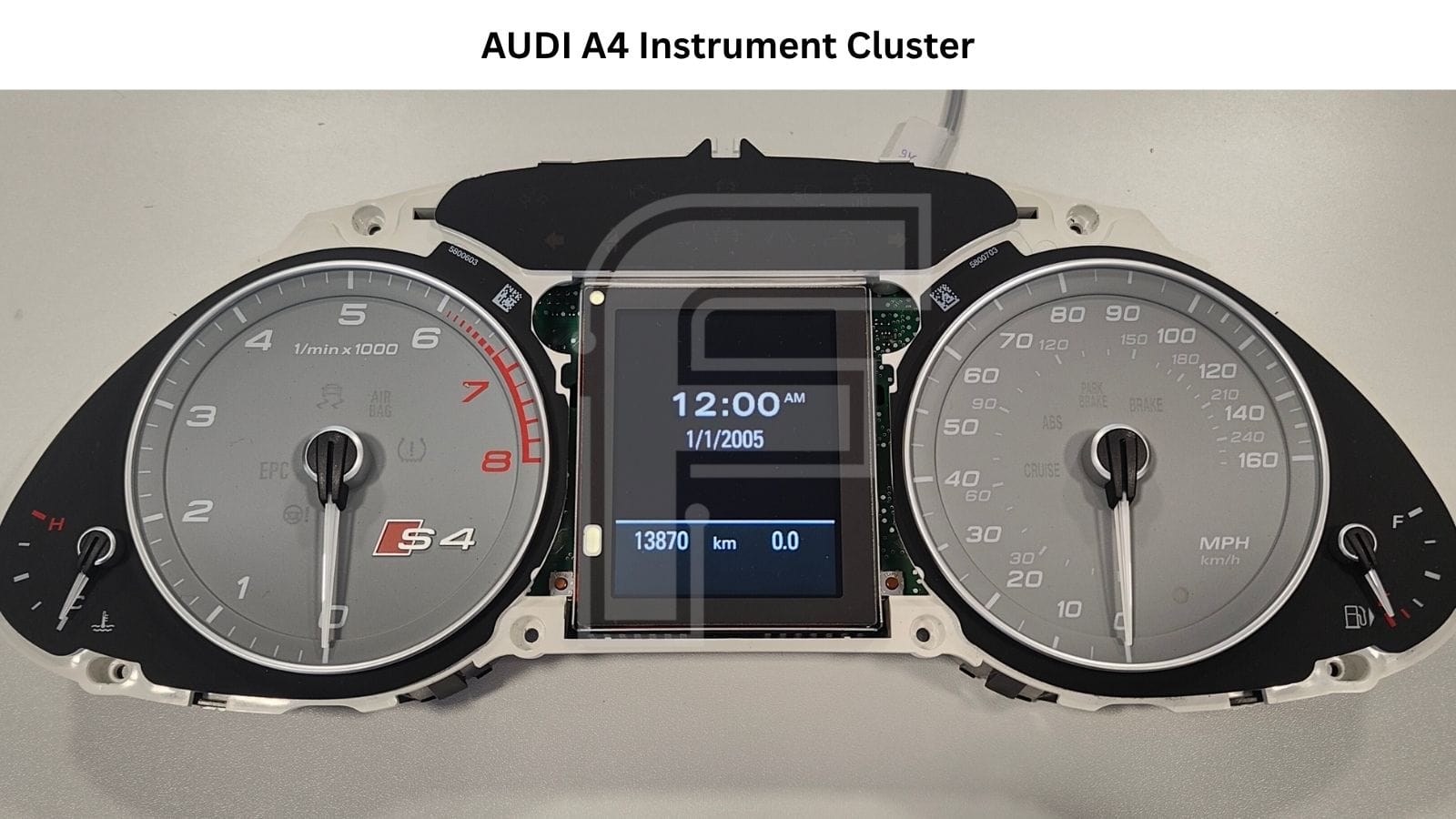
Hey! Today on the workbench we have one of the most common dashboards you'll see from the late-2000s Audi lineup: the Audi A4 / A5 / Q5 95320 instrument cluster, built by Magneti Marelli around a Fujitsu MB91Fxxx microcontroller. One cluster family covers three model lines and a full decade of production, from 2007 to 2017. It comes in two very different display versions: the classic black-and-red segment screen and the full color LCD.
One thing up front, because it matters when you're quoting a job: every cluster covered in this article is a Magneti Marelli unit. Bosch clusters appeared in the A4 only later, and they are a different story. If the board in front of you carries the Magneti Marelli logo and a 95320 EEPROM, you're in the right place. On the back of the housing you'll find an Audi part number like 8T0 920 930 P or 8T0 920 981 N, together with the Magneti Marelli logo and "Made in Italy".
Audi A4 A5 Q5 95320 Instrument Cluster Power Up and Odometer Reset
Below we go through what's inside, which displays you'll find, how these dashboards typically fail, and how FORZA 614 handles mileage correction - both in the car over OBD2 and on the bench.
Supported models
This Magneti Marelli cluster family covers two generations of the B8-platform Audis.
Pre-facelift (2007–2012):
- Audi A4 B8 / 8K saloon, Avant and Allroad (2007–2012)
- Audi S4 B8 / 8K saloon and Avant (2008–2012)
- Audi A5 B8 / 8T / 8F coupé, Sportback and cabriolet (2007–2012)
- Audi S5 B8 / 8T / 8F coupé, Sportback and cabriolet (2007–2012)
- Audi RS5 B8 / 8T coupé (2010–2012)
- Audi Q5 8R (2008–2012)
Post-facelift (2012–2017):
- Audi A4 B8 / 8K saloon, Avant and Allroad (2012–2016)
- Audi S4 B8 / 8K saloon and Avant (2012–2016)
- Audi RS4 B8 / 8K Avant (2012–2015)
- Audi A5 B8 / 8T / 8F coupé, Sportback and cabriolet (2012–2017)
- Audi S5 B8 / 8T / 8F coupé, Sportback and cabriolet (2012–2017)
- Audi RS5 B8 / 8T / 8F coupé and cabriolet (2012–2017)
- Audi Q5 8R (2012–2017)
- Audi SQ5 8R (2012–2017)
What's inside the Audi A4 / A5 / Q5 Magneti Marelli cluster
The main board follows a classic Marelli layout: a Fujitsu FR-family microcontroller runs the show, a 95320 SPI EEPROM stores the odometer and configuration data, and the gauges are driven by dedicated pointer motors.
- Main microcontroller: Fujitsu MB91F467EA / MB91376G - core cluster logic, gauge control and CAN-bus communication. Both part numbers turn up across this cluster family.
- EEPROM: 95320 - 32 Kbit SPI serial EEPROM holding mileage and cluster configuration.
- Pointer motor: Delta SA20S36F-001 - drives the gauge needles on the main board.
Full color versions add a separate graphics module with its own processor and memory, sitting behind the display panel. More on that in the display section below.
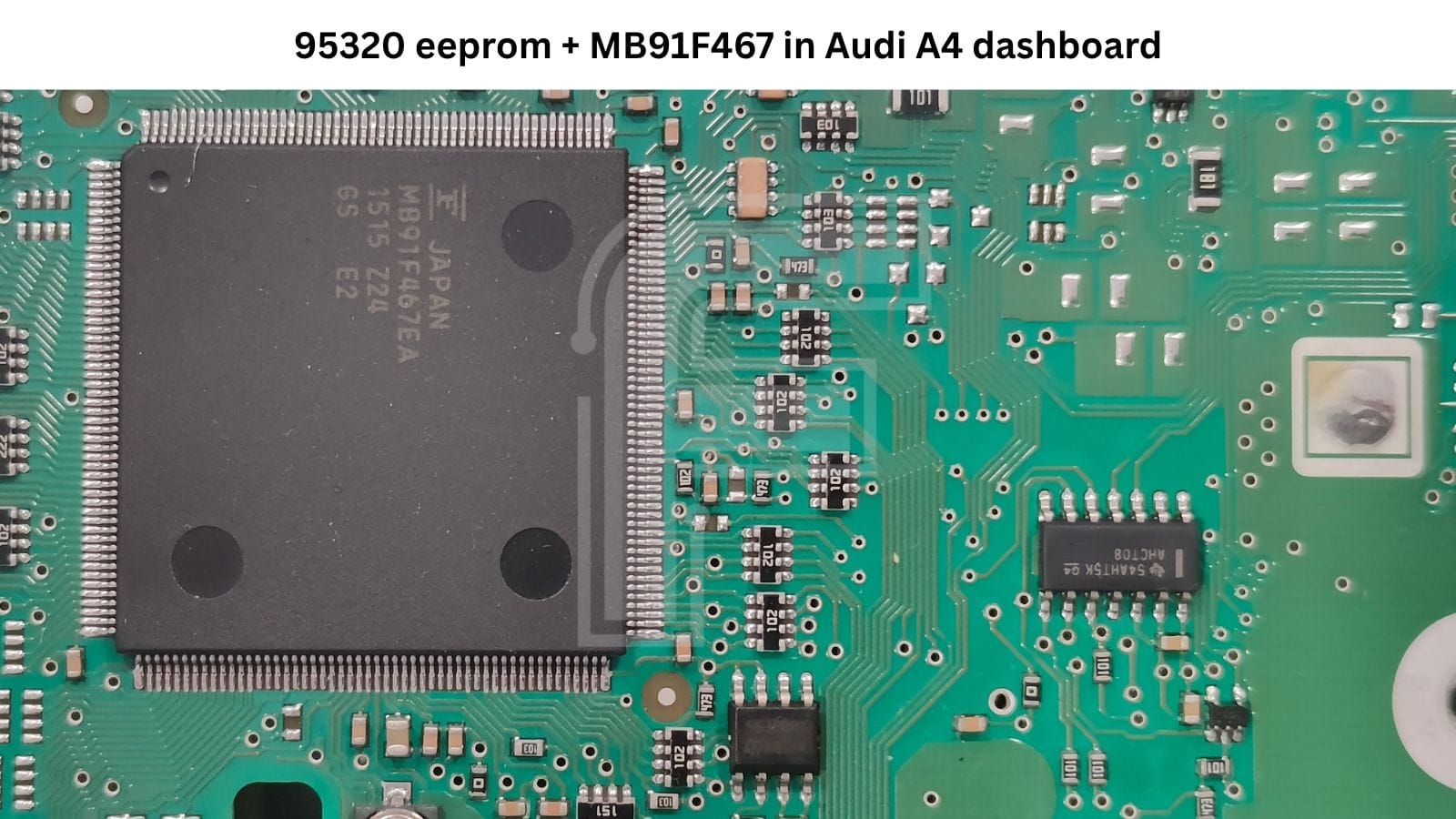
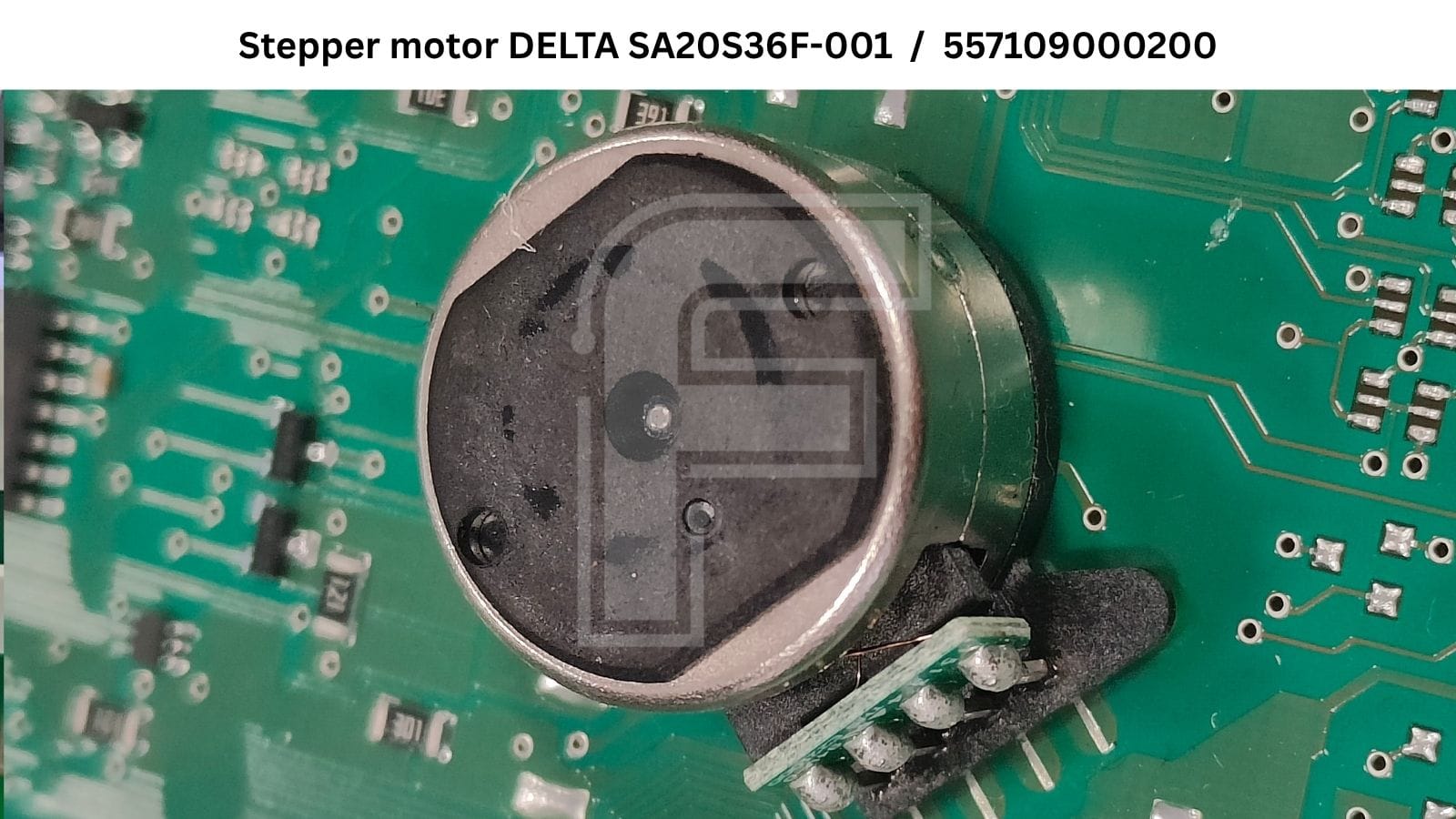
95320, 25320, ATMLP512 – same chip, different markings.
Don't be surprised if the EEPROM on your board doesn't say 95320. Depending on the manufacturer and batch, you'll find markings like 95320, 25320 or ATMLP512 on the chip but they're all the same memory. When you work with a serial EEPROM programmer, read and write any of them as a 95320.
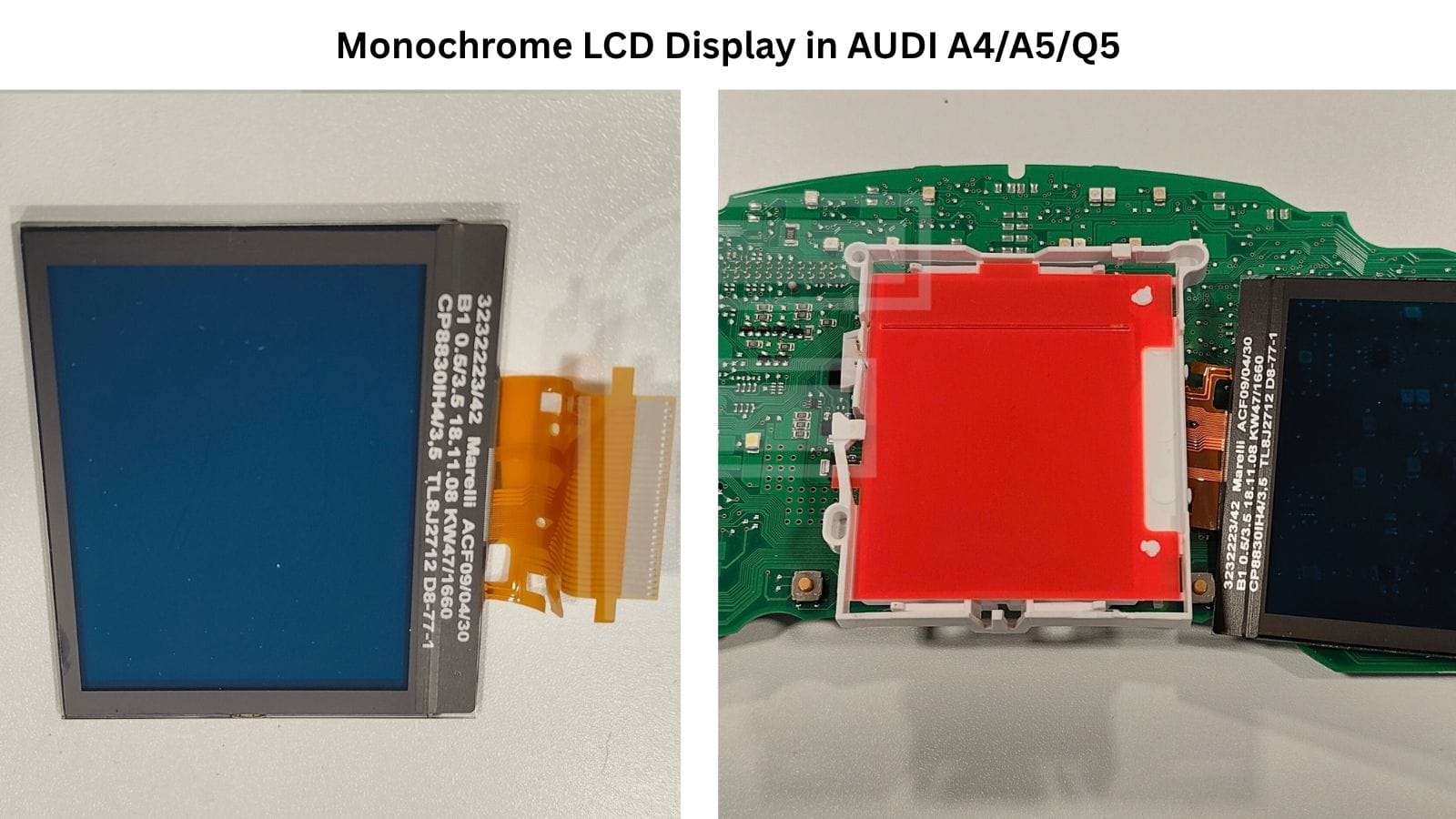
Marelli ACF09/04/30 (3232223/42) Black-and-Red Display
Clusters without the color option use the monochrome Marelli ACF09/04/30 display, also marked 3232223/42. The panel itself is a plain dark segment LCD - the familiar red look comes from the cluster backlight, not from the glass. The flex tail connecting it to the main board is marked OEG 6310245C, which is worth knowing if you're searching for the ribbon rather than the whole display.
Full Color Display Versions - LTA035B880F, LT035CA23A00, DJ035NC-01A
The full color screen in these clusters isn't one part. Over the years, Magneti Marelli fitted several 3.5-inch TFT panels from different suppliers. So far we've had three on the bench:
- LTA035B880F - Toshiba Matsushita Display Technology, made in Japan
- LT035CA23A00 - Japan Display Inc., made in China
- DJ035NC-01A - TPO Displays Corp., made in China
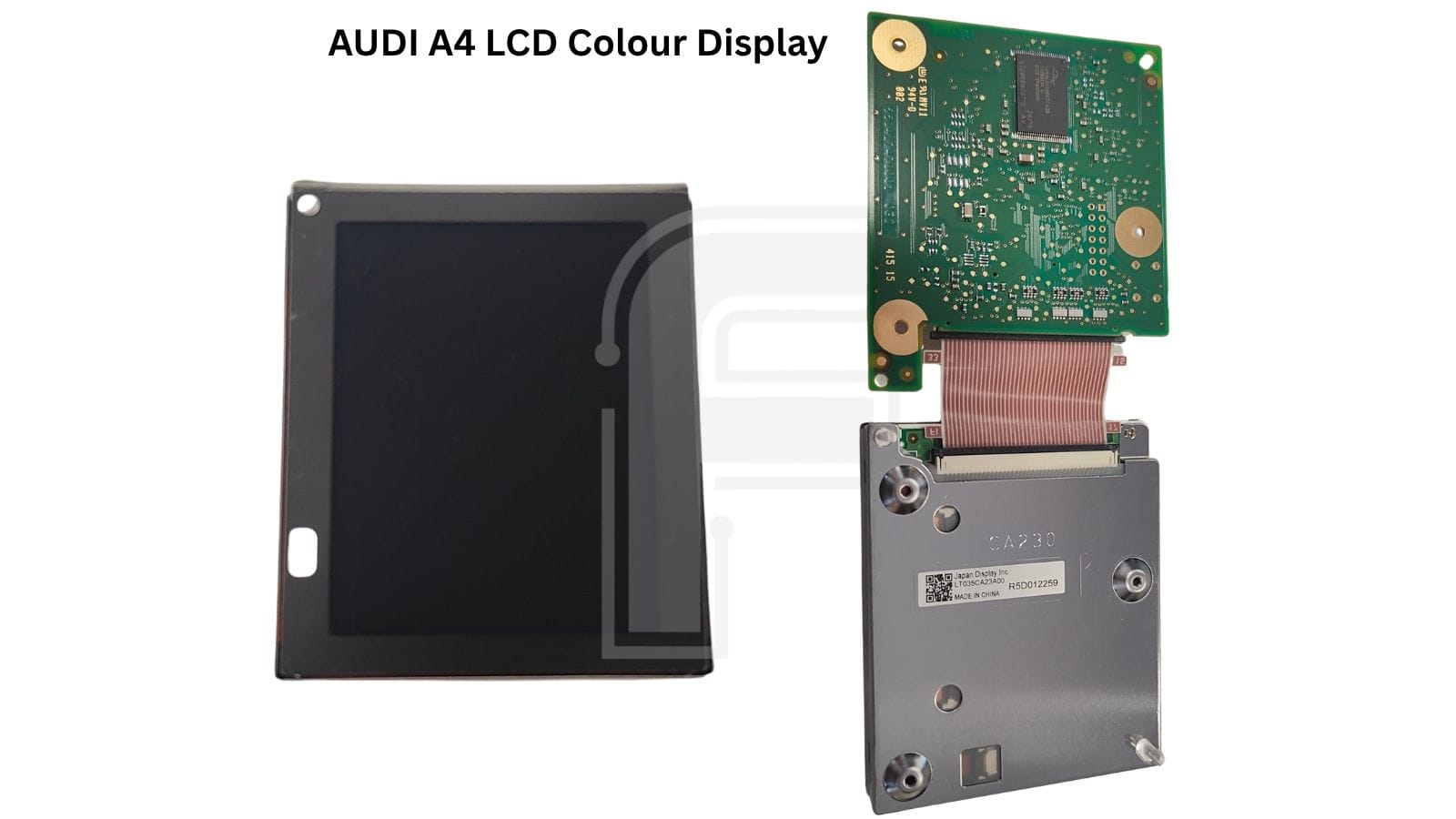
In every version, the panel is driven by its own graphics module rather than by the main Fujitsu MCU - we've seen boards built around both the Toshiba TMPR3916F and the Renesas 72621P144FPU (SH-2A). When the color screen fails, check the panel, the graphics module and the ribbon between them. Before ordering a replacement, read the part number off the display you're replacing.
Typical failures
These dashboards are known for failing, and we see the same two patterns again and again:
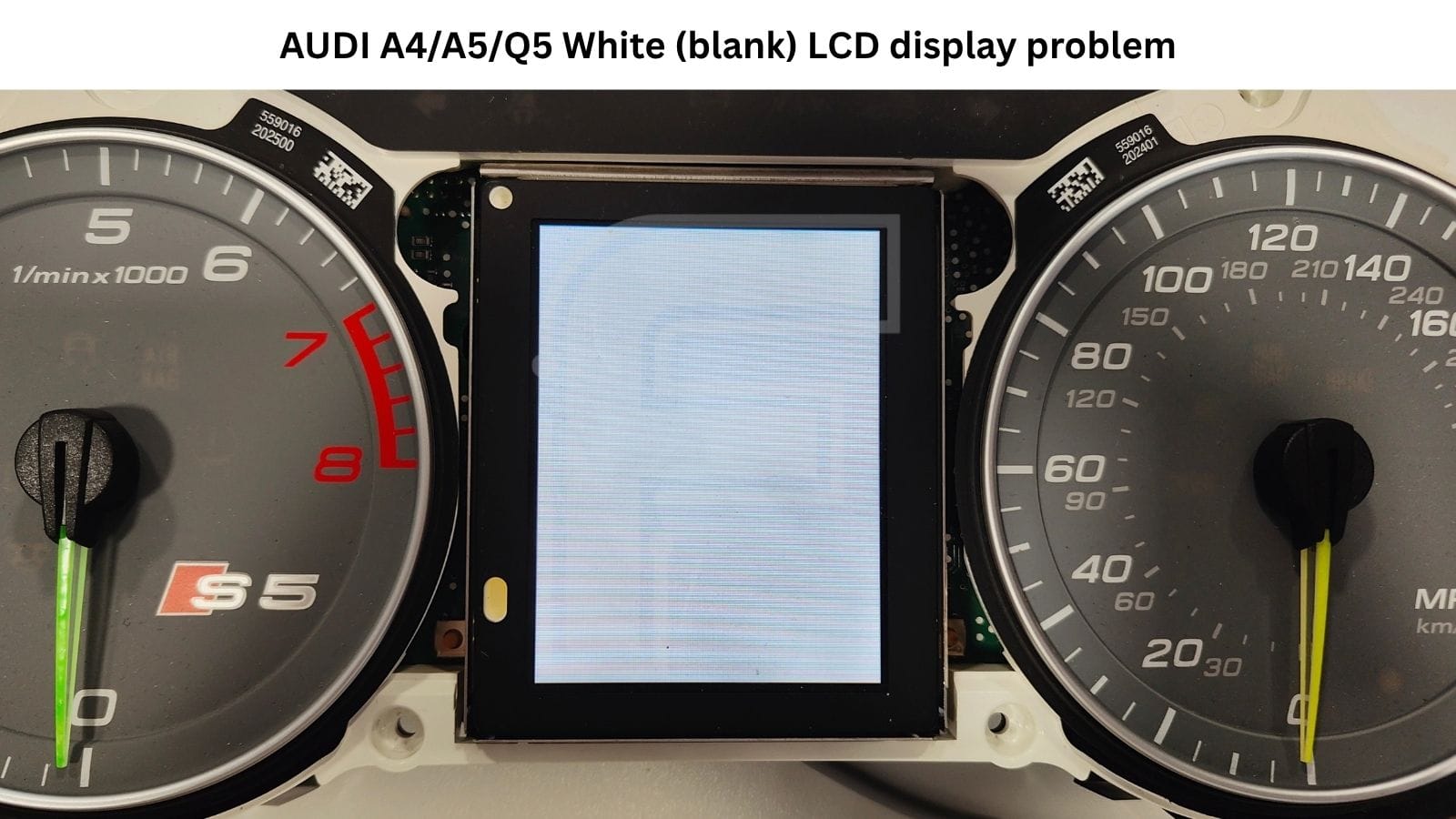
- Display faults. Display faults. Both versions suffer from screen problems. On the black-and-red clusters, the segment display loses its readability. On the full color versions, the classic symptom is a white screen: the display lights up completely white with no graphics at all. The backlight is working, but the panel isn't getting a picture - and the cause can sit in the TFT panel, the graphics module behind it, or the ribbon between them. That's why the whole display assembly should be checked, not just the screen.
- Complete cluster failure. The more serious case: the cluster stops working altogether - no gauges, no display, no life. These units usually arrive on the bench as "dead dash" jobs.
💡 A swapped cluster doesn't just bolt in. After replacement, it has to be coded to the vehicle with a specialist diagnostic tester. Plan for that step when you quote a cluster swap - FORZA 614 handles the mileage, not the vehicle coding.
Full instrument cluster wake-up
Power the cluster on the bench with only +12V and GND and you'll get a partial start-up. The cluster comes alive only partially and isn't usable for a full check. Normally it needs CAN-bus traffic from the car to wake up completely.
With FORZA 614 you don't need a separate CAN-bus generator. Connect +12V, GND and the CAN-bus lines on the bench, and FORZA 614 brings the dashboard up fully, display included. That gives you a full visual check on the bench before the cluster goes back into the car.
FORZA 614 software programming options for Audi A4 / A5 / Q5 dashboard
FORZA 614 supports two connection methods for this cluster:
- In the car via OBD2 - no need to pull the dashboard.
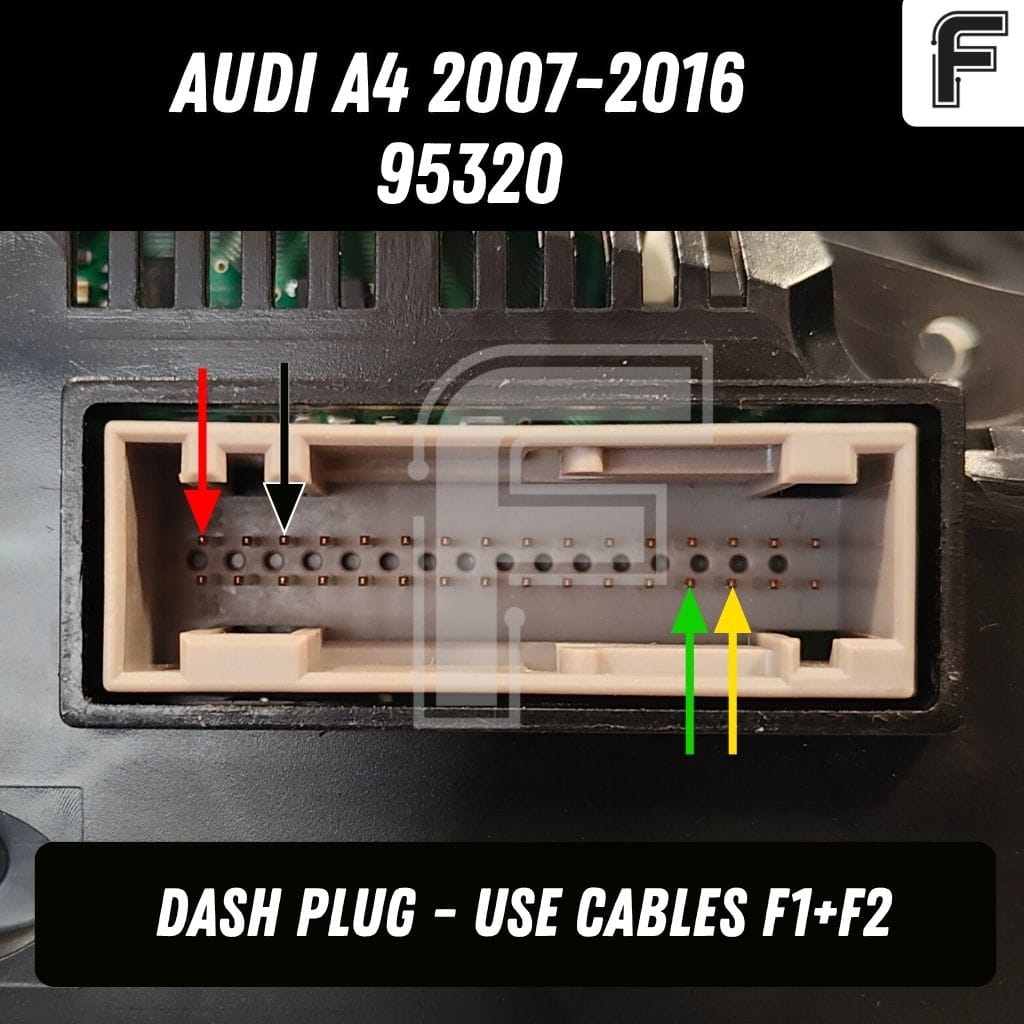
- On the bench via the dash plug - using the F1 main adapter with the F2 cable.
The supported function is mileage correction in both directions - up and down.
⚠️ Software version SW 567 is generally not supported.
Check the cluster's software version before you take the job.
Plan your time. Mileage correction on this cluster isn't instant. It can take 5-15 minutes, so don't interrupt the process. The exception is a cluster with zero mileage: raising the value on a new or zeroed unit takes very little time, with no long wait.
Working in the car? During the procedure, don't open or close the doors, and don't use the radio or navigation. Any extra traffic on the vehicle network can disturb communication with the cluster mid-procedure.
ℹ️ The 95320 EEPROM on this cluster cannot be read or written diagnostically - FORZA 614 supports mileage correction only. If you need a full 1:1 backup or a donor clone, the 95320 has to be read directly with a serial EEPROM programmer connected to the chip.
Audi A4 / A5 / Q5 Dashboard Pinout
Bench connection details - power, ground and CAN-bus lines for the full wake-up - are shown in the pinout diagram below and inside the FORZA 614 app.
Magneti Marelli Audi clusters: why they keep coming back to the bench
These cars are everywhere on European roads, and their clusters are now well past the age where display faults and dead dashboards become routine. That makes for a steady stream of work: mileage correction after a cluster swap, mail-in jobs from other garages, and repairs where the dealer's answer is simply "replace it".
With OBD2 and dash-plug access in one tool, you can handle the job in the car or on the bench without stacking up extra hardware for one model family.
One subscription, zero token fees
FORZA 614 runs on a flat monthly subscription. There are no individual licences, no per-job tokens and no hidden fees - one simple subscription, refresh activation and work. A lower upfront cost means you start earning on cluster jobs sooner, and the subscription funds continuous development, with new clusters like this Audi family added with each software update.
FAQ
Is there only one full color display in these clusters?
LTA035B880F, LT035CA23A00 and DJ035NC-01A. Check the part number on the display before ordering a replacement.
Who makes the Audi A4 / A5 / Q5 cluster covered here?
All clusters covered in this article are made by Magneti Marelli and use a 95320 EEPROM. Later Bosch clusters in the A4 are a separate family.
Do I need a CAN-bus generator to wake the cluster on the bench?
No. On +12V and GND alone the cluster starts only partially. Connect the CAN-bus lines too and FORZA 614 wakes the dashboard fully, without an external generator.
Can I dump the 95320 EEPROM over OBD2?
No. Diagnostic reading and writing of the full 95320 EEPROM is not supported on this cluster. FORZA 614 supports mileage correction up and down. For a full dump, read the 95320 directly with a serial EEPROM programmer.
How long does mileage reset take?
It can take ten to twenty minutes. On a cluster with zero mileage, raising the value takes only a short time.
Is software version SW 567 supported?
Clusters with software version SW 567 are generally not supported.


