

Audi A6, A7, A8 (2010–2016) MB91F467DB + 95320 Instrument Cluster Info
Hey! Today on the workbench we've got a trio that share far more than four rings on the badge - the Audi A6, A7 and A8 instrument clusters from the 2010-2016 built by Bosch and all programmed the same way.
We still remember when these cars first landed. It was a genuine wow - first as a car, and then, once one hit the bench, as a cluster. For its day this dashboard was so far ahead that we honestly weren't sure we'd ever manage it. For the first few years the only way in was to read a special key out over OBD2, send us the file, and we'd add it to the device - back then that was Enigmatool - so a new update could finally run the full procedure. Over time we worked out how to streamline all of that and program these clusters fully diagnostically. Today that program ships inside FORZA 614, on one simple subscription.
Below we'll go through the shared hardware, the model-by-model differences, the faults you'll actually see on these, the CAN-bus wake-up behaviour, and the exact programming options - in the car and on the bench.
Audi A7 95320 Odometer reset on the bench
🛠️ Hardware. What will you find inside?
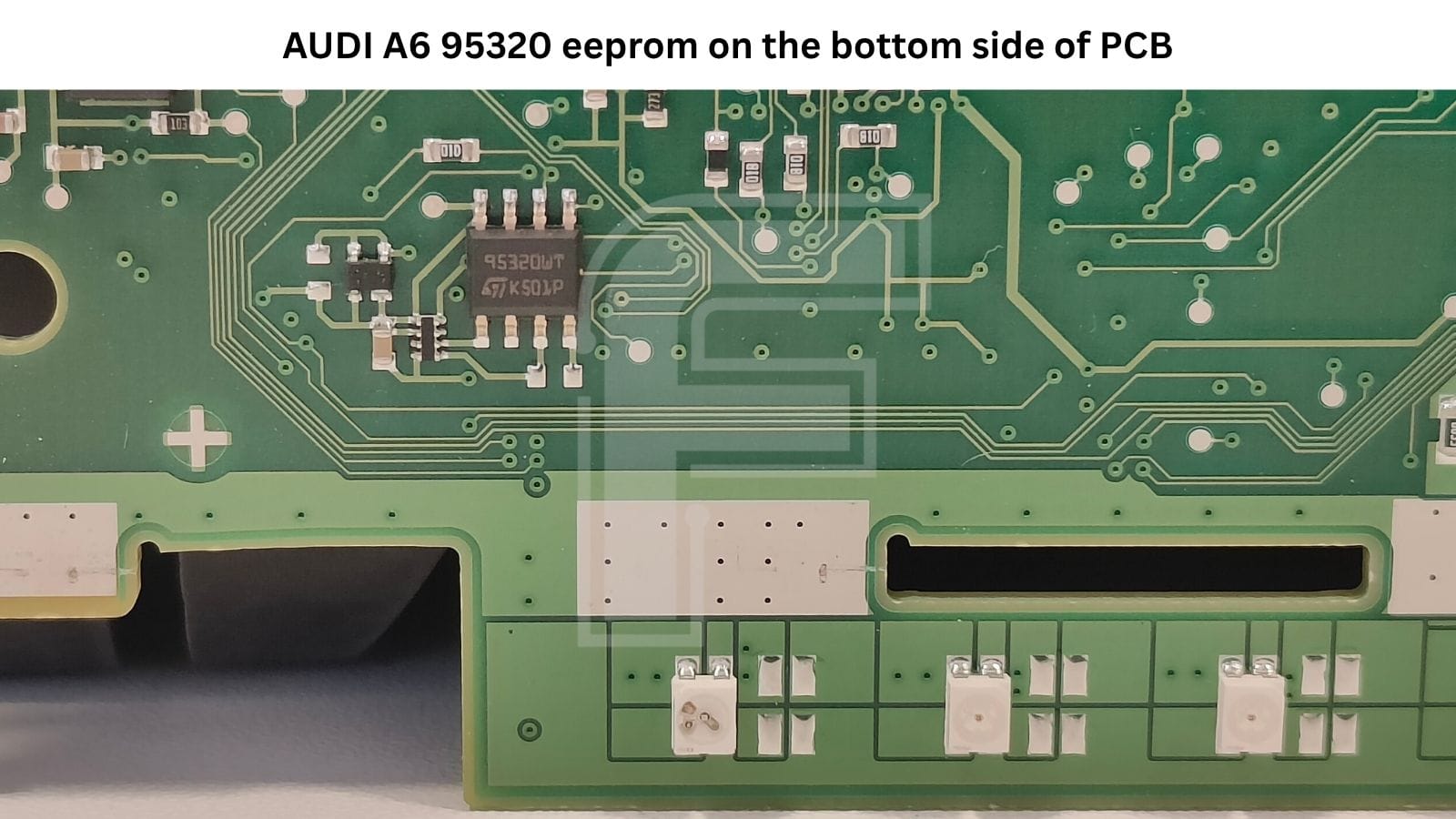
Pop the back off one of these clusters and you're looking at the same core each time: a Fujitsu MB91F467DB doing the heavy lifting, an 95320 eeprom holding the data, and Sonceboz steppers on the needles. The A7 and A8 carry the full platform with a dedicated graphics processor driving the big colour display; some A6 units run a lighter board built around the same MCU. Here's the full picture:
- Primary microcontroller: Fujitsu MB91F467DB - the core cluster MCU, running the gauge and stepper drive routines, CAN-bus communication, and the general cluster logic. Common to all three models.
- Graphics processor: Toshiba TX4961XBG-240 (BGA package) - renders and drives the large central colour display on the A7 and A8 (and colour-display A6).
- EEPROM: 95320 (in some models marked as 25320) - the 32 Kbit serial eeprom holding configuration data.
- NOR Flash: Spansion GL-256N11FFA01 (256 Mbit) on the full colour platform; the lighter A6 board uses a smaller Spansion S29AL016J (16 Mbit).
- SDRAM: 2× Micron MT46V16M16 - working memory for the graphics processor on the colour platform.
- Stepper motors: Sonceboz 6405R472 - driving the analogue needles.
The takeaway: the board can be heavier or lighter depending on the display fitted, but the read, write and mileage procedure is identical across all three models - which is exactly why we're covering them together rather than pretending they're three unrelated jobs.
💡 Removing the mainboard. If you're fully opening one of these to get the main PCB out - the board carrying the processors - don't just try to slide it straight off. On the underside of that PCB are the indicator LEDs that sit against the lower white plastic frame, and they'll physically stop the board from moving. Gently lift and tilt the board away from that white plastic LED frame first, then ease it sideways. Force it flat and you'll stress those LEDs.
Model-by-model A6, A7 and A8
Electronically these are close cousins, but they're not identical on the outside. The main visual differences are in the housing and bezels - the trim rings and surrounds change between models – so use the photos below to match the exact cluster in front of you.
Audi A6
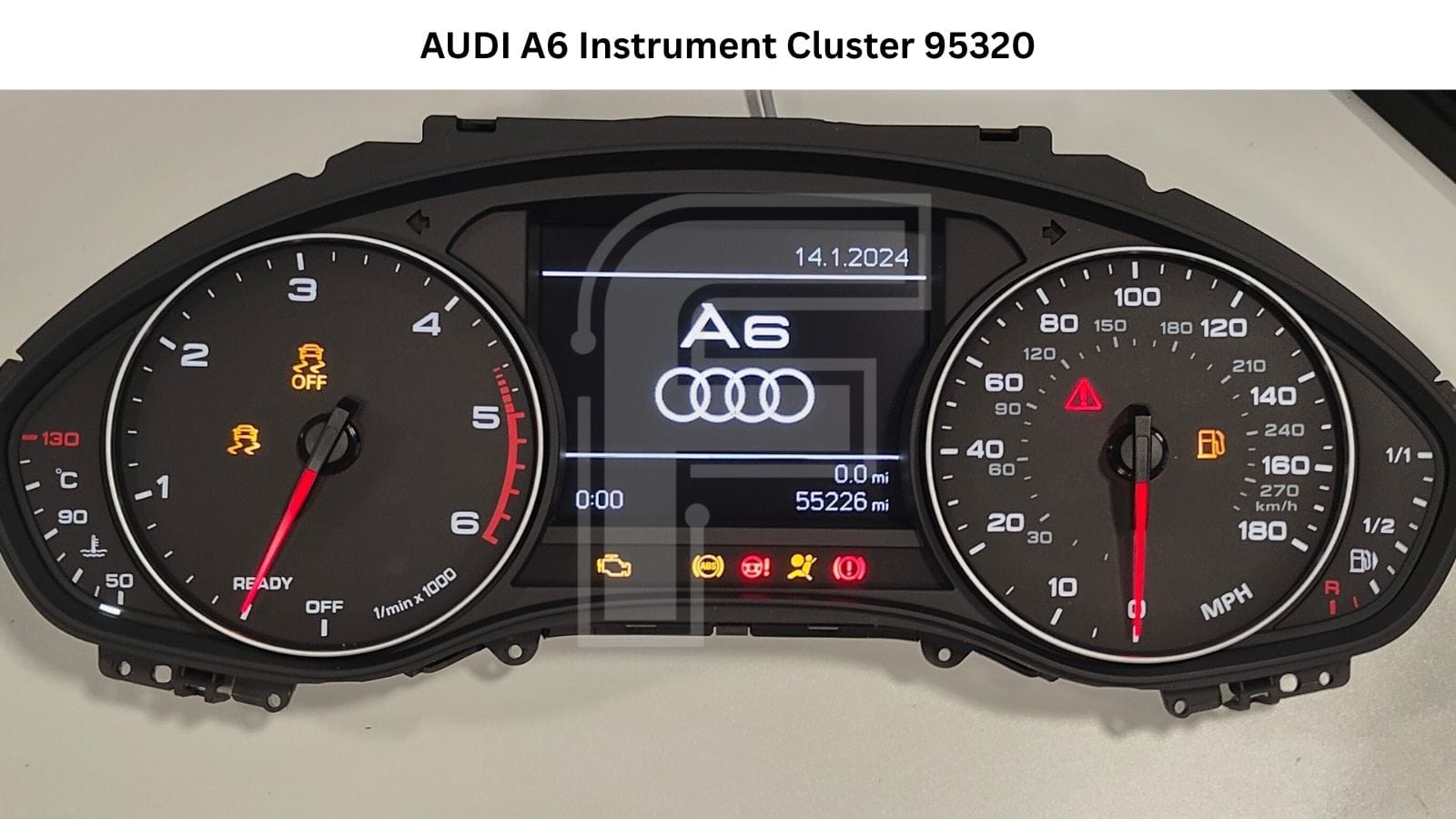
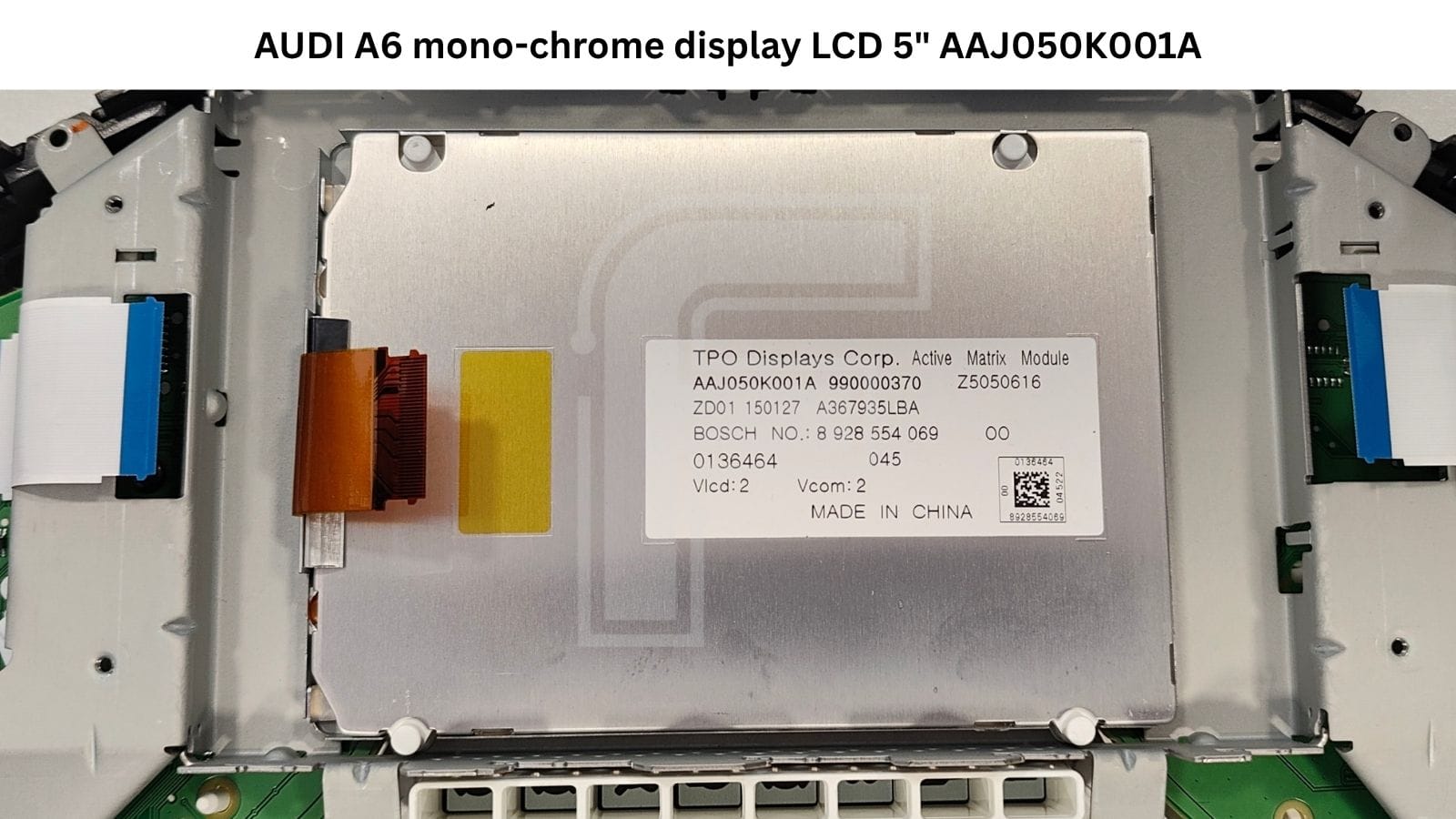
for this article we've pulled an A6 as an example of a slightly different build: a lighter board around the same MB91F467DB and 95320, dropping the separate Toshiba graphics processor and using a smaller 16 Mbit Spansion S29AL016J NOR flash, paired with a monochrome centre display – a TPO Displays active-matrix module (AAJ050K001A, Bosch No. 8 928 554 069). Worth knowing: the A6 also came with the nicer full-colour screens on the heavier board – both are the same programming job.
Audi A7
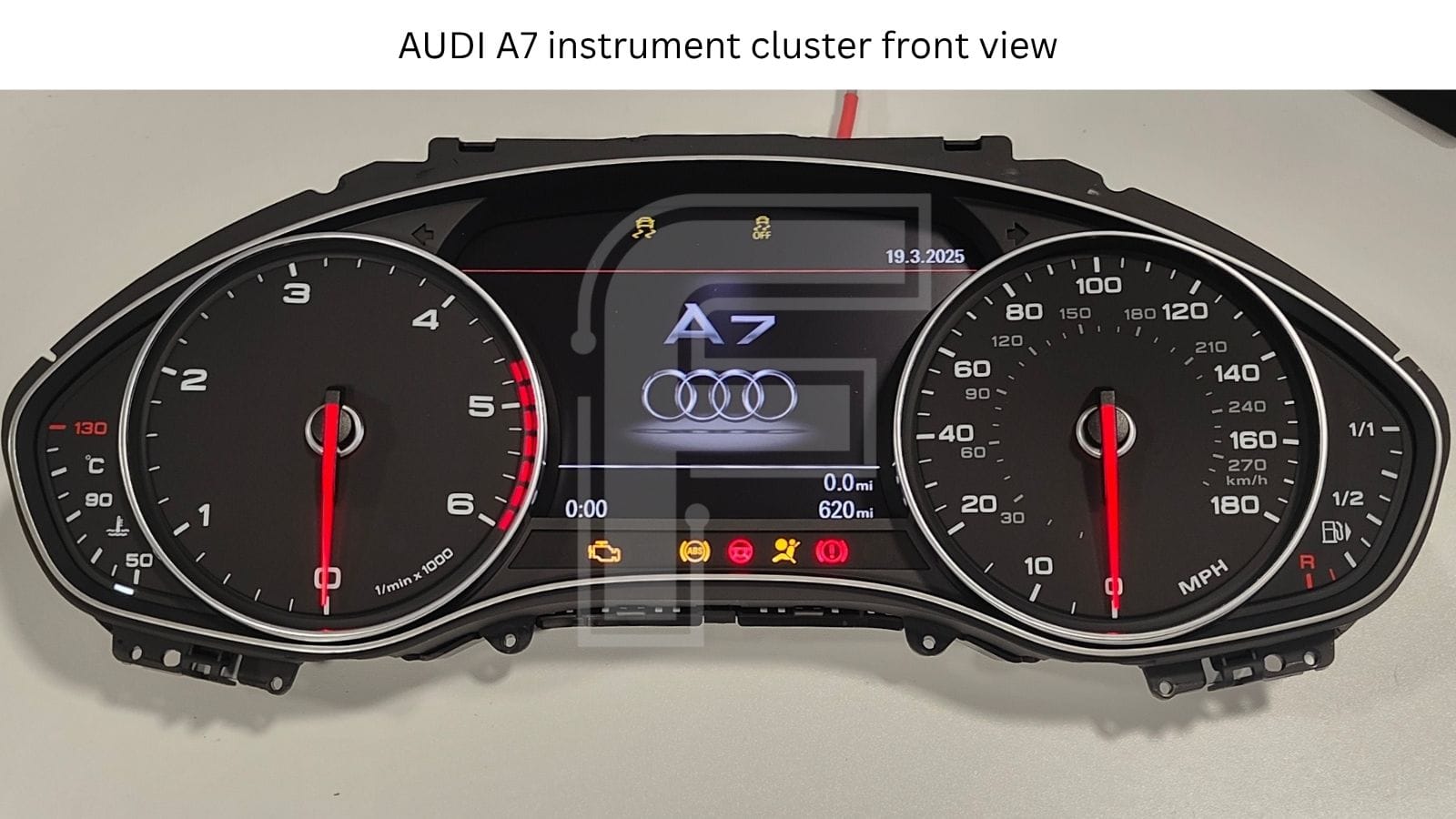
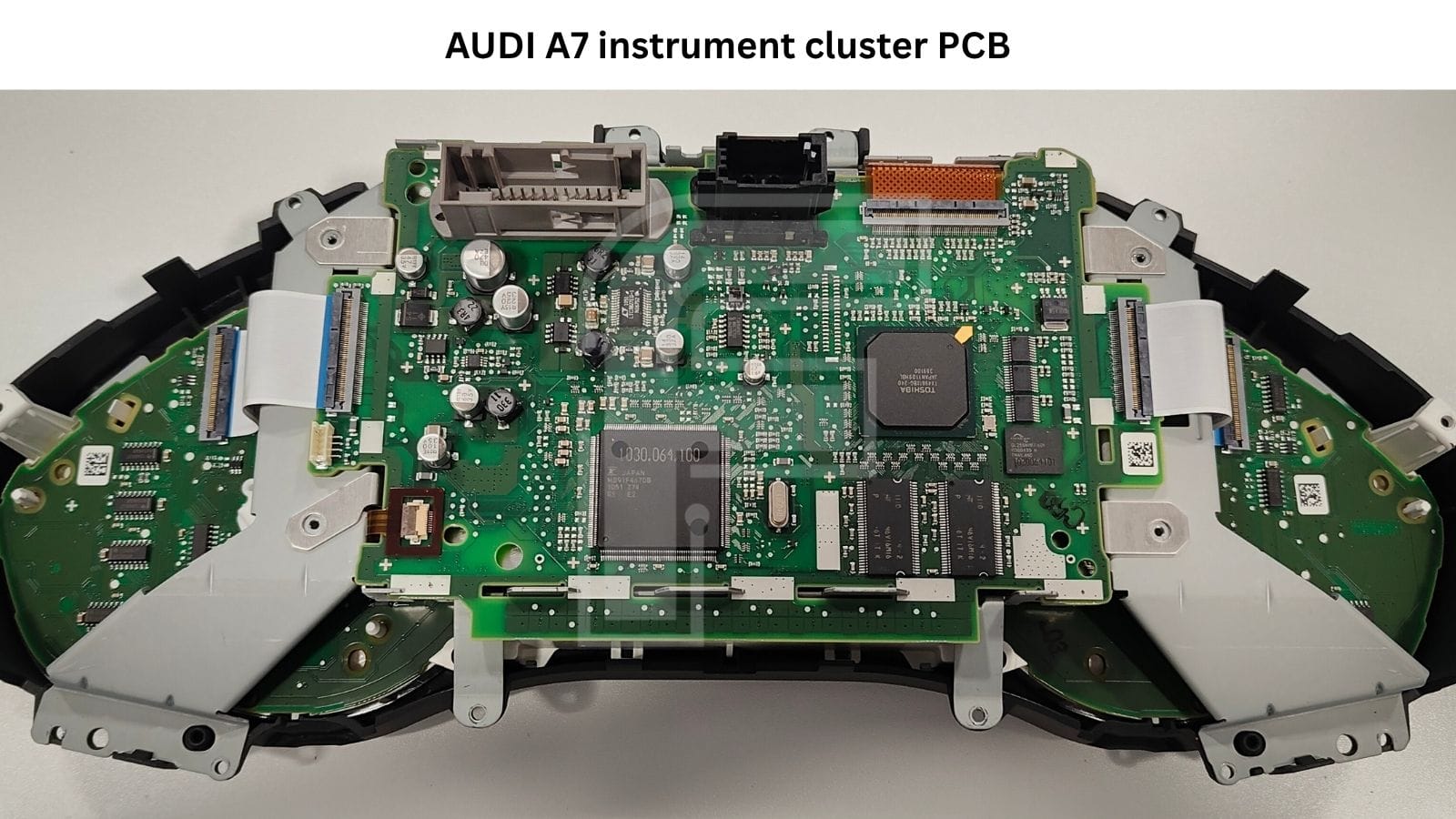
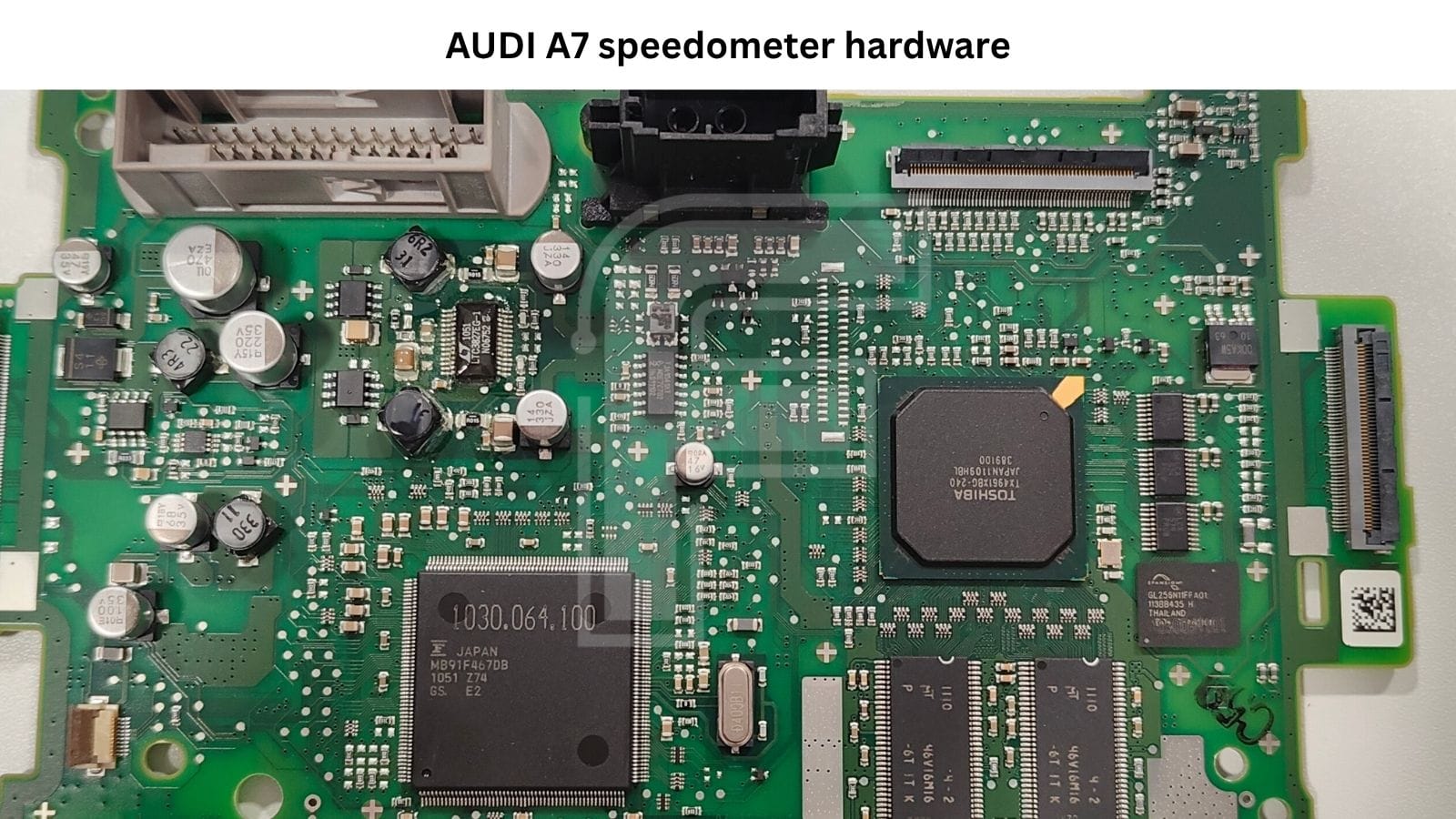
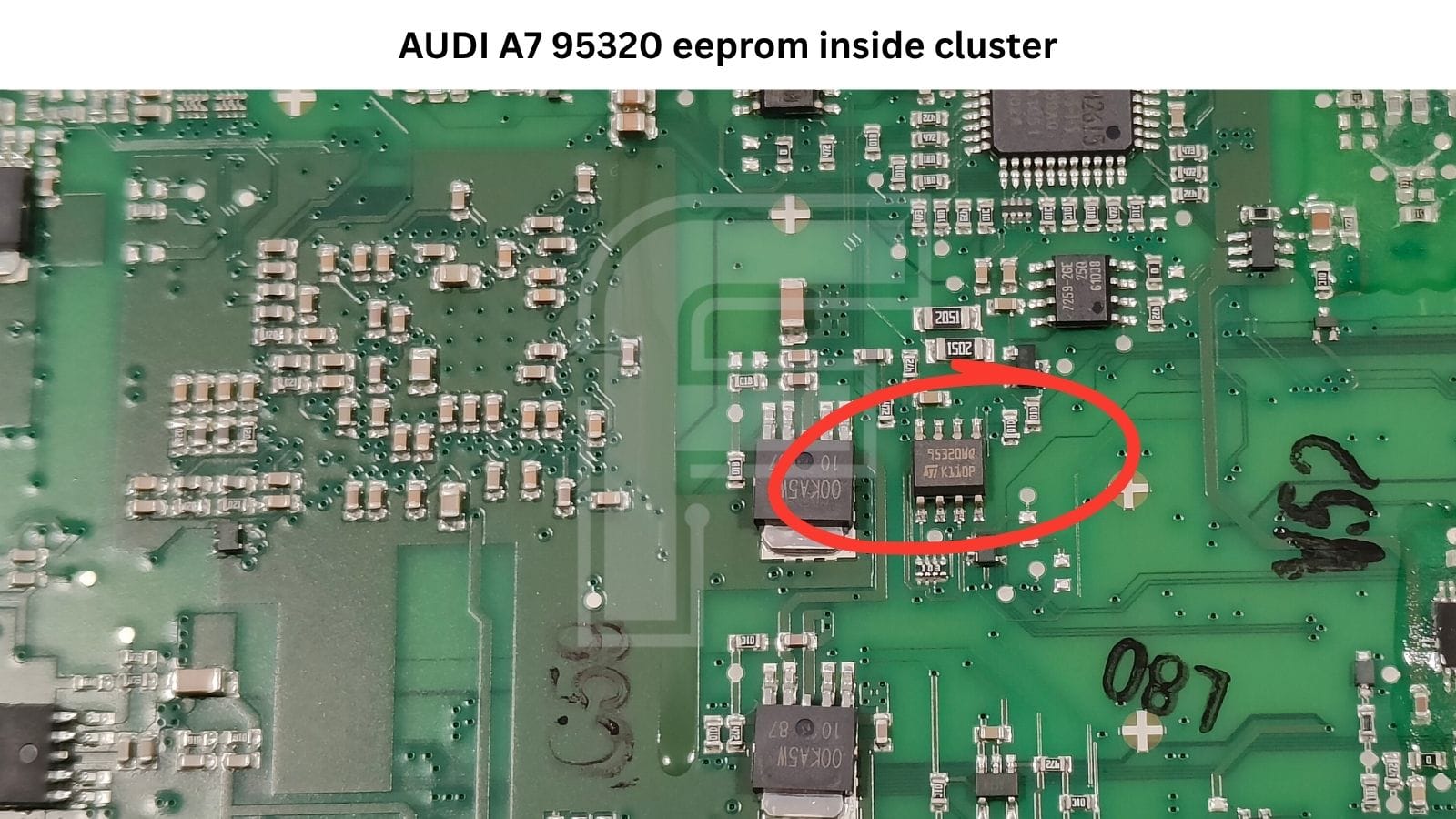
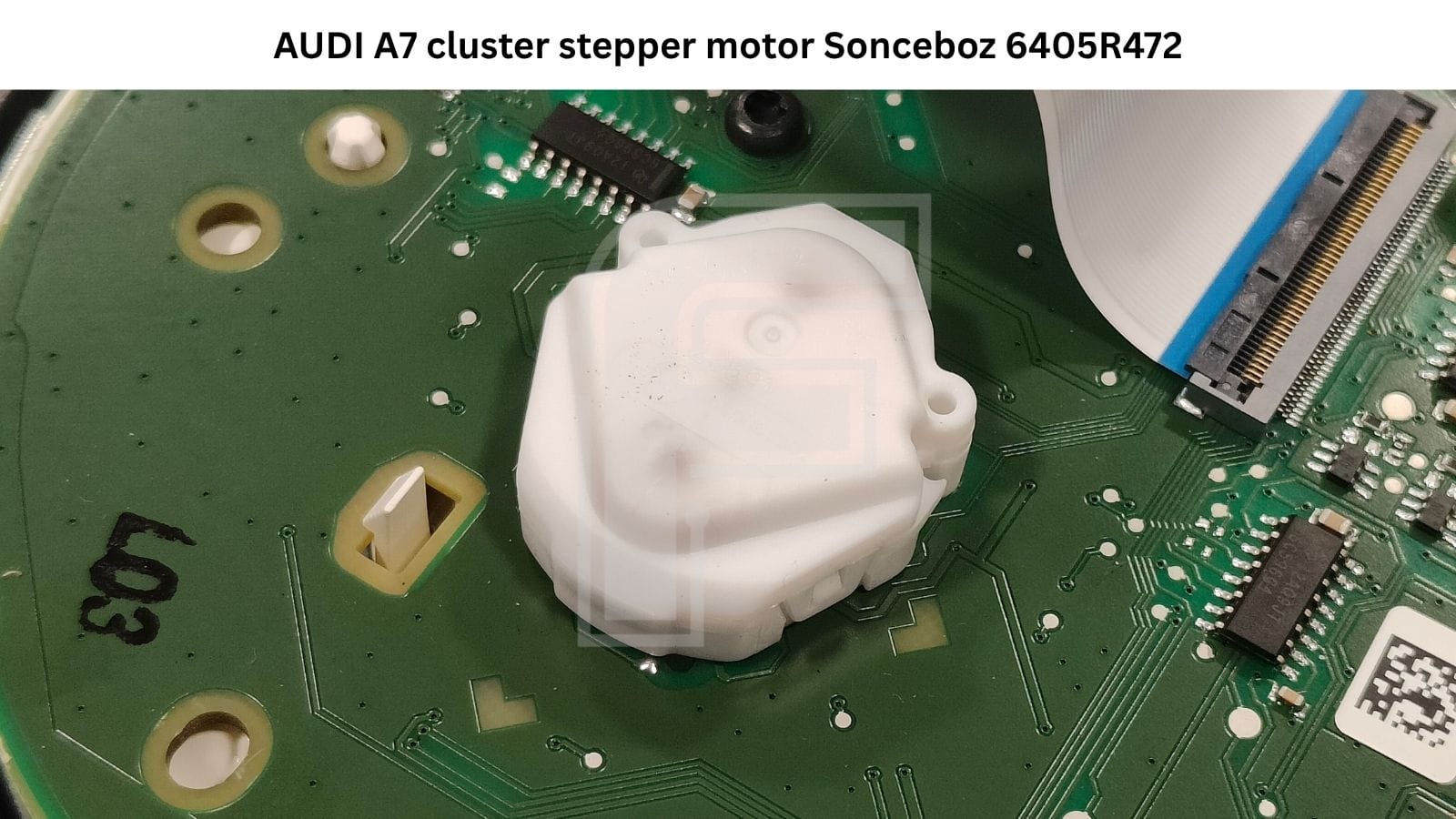
The full colour platform (MB91F467DB + Toshiba TX4961 + 256 Mbit NOR + SDRAM), in the A7 housing.
Audi A8
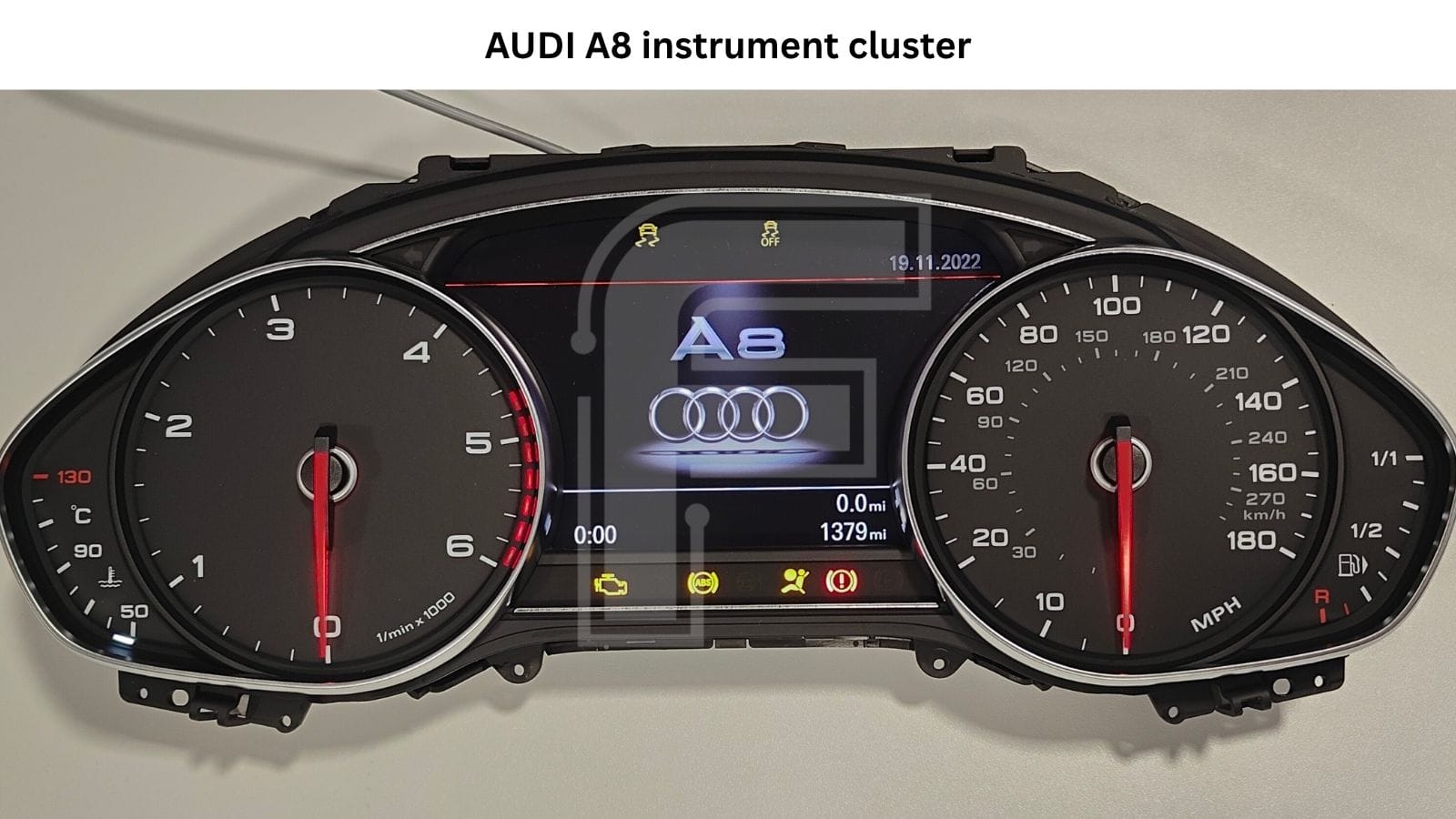
Again the full colour platform, in the A8's cluster frame.
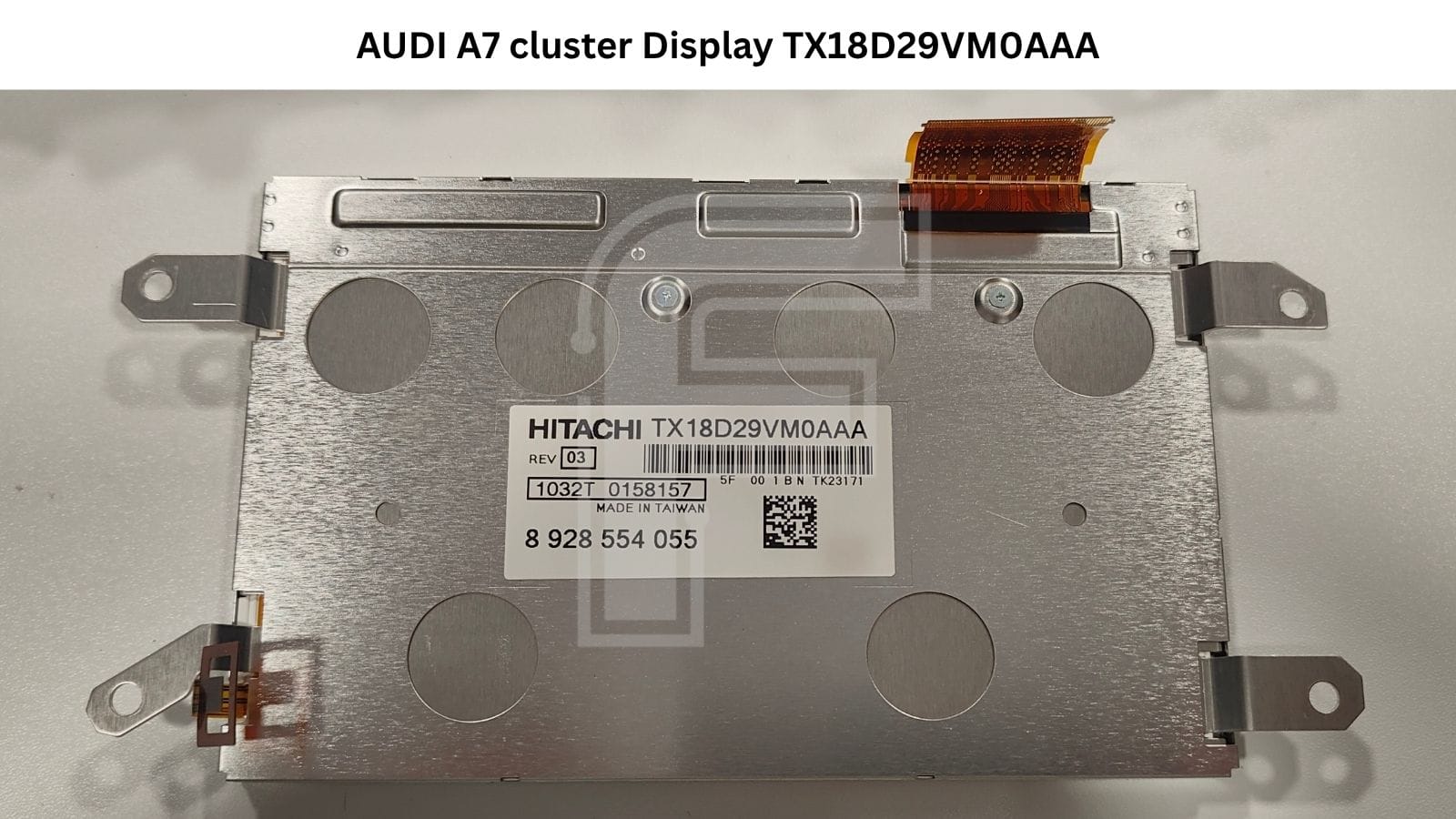
TX18D29VM0AAA Audi DASH LCD Display from Hitachi
The colour centre display on the A7 and A8 (and colour-screen A6) is the Hitachi TX18D29VM0AAA, carrying Bosch part number 8 928 554 055.
Display trouble is one of the most common reasons these clusters land on the bench – dead, dim or garbled screens rather than a memory fault.
The good news is that this is a standalone repair: in most cases swapping the panel resolves the fault outright, without touching the memory or reprogramming anything. It's a physical replacement and the cluster comes back to life.
The A6 example we've shown here uses a different panel TPO Displays active-matrix module, AAJ050K001A, Bosch No. 8 928 554 069 a monochrome screen on the lighter board. Same logic applies: a bad panel is a physical swap, not a programming problem. So whether you've got the colour Hitachi or the mono TPO display in front of you, the fix for a screen fault is the same kind of job.
⚠️ Common faults on these clusters
Here's what actually walks through the door on the A6, A7 and A8:
- DEF message - the cluster sitting in a DEF fault state.
- Dashes in the mileage field - the odometer reading replaced by
-------instead of a value. - Display problems - dead, dim or corrupted centre screen (see the display section above).
- Completely dead cluster - no life at all on power-up.
Full cluster wake-up on the bench (CAN-bus)
Here's a quirk worth knowing before you sit one of these on the bench. To light up and run, the cluster needs the correct CAN-bus frames - power alone won't wake it, so a unit that stays dark on the bench isn't necessarily dead.
FORZA 614 handles that for you. Click IDENTIFY or Read Value and the cluster wakes up and illuminates right there on the bench, so you can visually confirm its behaviour and check the display. No external CAN-bus generator required - FORZA 614 has it built in.
FORZA 614 Software Programming Options for Audi A6/A7/A8 Speedometer
Here's what FORZA 614 does on this platform:
- Read and write the 95320 EEPROM - full read and full write of the 95320 (25320) memory.
- Mileage programming - set the odometer either higher or lower, not just down.
- Full data readout - when you read the mileage, FORZA 614 also pulls the VIN, the part number, the software number and the Fazit straight out of the cluster, so you've got the full identity of the unit in front of you.
EEPROM read/write - Audi A6/A7/A8 95320 (2010-2016).
On these model years both reading and writing the full M95320 EEPROM are supported diagnostically through OBD2 in the car or through the dash plug on the bench. That covers backing up the original data and writing it back, with no serial programmer or direct chip access needed for the EEPROM work itself.
A note on model years: FORZA 614 covers this platform diagnostically for 2010-2016. The 2016-2018 clusters are different - they first need the 95320 EEPROM direct preparation procedure. We'll be working on making that method available to our customers as well, but at a later stage.
💡 Component protection (SAFE)
Like other VW-group parts, these clusters carry component protection.
In short: you can't just drop a cluster from another car into a different vehicle - you'll get a SAFE message and the cluster won't work correctly. On top of that, coding a used cluster into a car often requires the mileage to be reset to 0 km first before it'll accept it - more policy than electronics, but it's the reality on the ground.
Right now FORZA 614 handles the EEPROM and mileage side - reading, writing, odometer programming, and the full data readout. Copying the component protection block isn't in the tool yet, but it's on the roadmap for the future.
Audi A6/A7/A8 Instrument Cluster Pinout
Because FORZA 614 is a workbench tool first, both routes are covered:
- OBD2 in the car - plug into the vehicle and program in place.
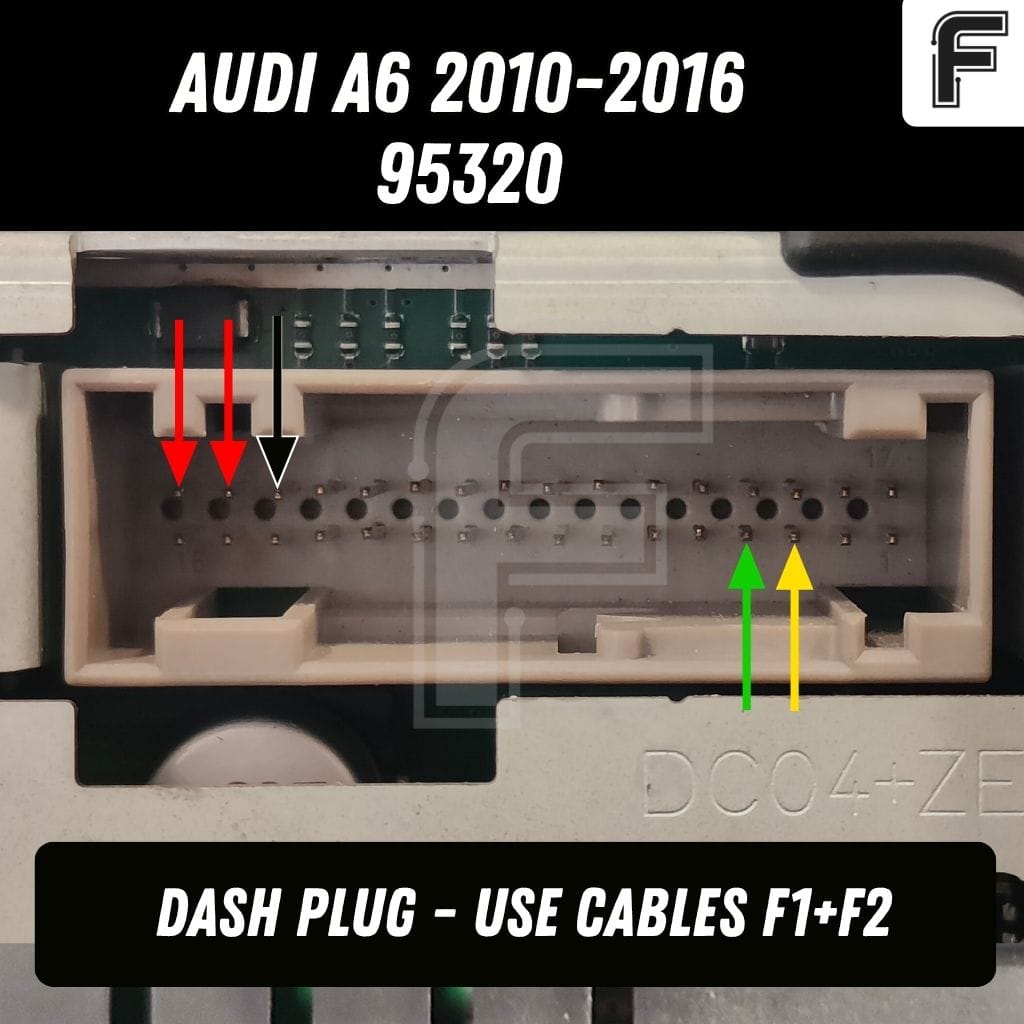
- Dash plug on the bench - program the cluster out of the car via the dash connector, using the F1 + F2 cables.
The full Audi A6/A7/A8 dashboard pinout for the bench connection is inside the FORZA 614 PC application, so you're not guessing at wiring - it's laid out for you in the app.
Why workshops handle this in-house
Cluster specialists repair these Audis for one simple reason: dealer prices for them are sky-high and, frankly, just not worth it. Fixing the cluster you already have saves the customer serious money and it's the greener option too.
Repairing or replacing a single failed part instead of scrapping a whole cluster means less waste, which matters.
Take a display fault. You can order the panel online and swap it - a clean, targeted repair. Walk into a dealer with the same fault and they'll typically propose replacing the entire cluster plus coding it to the car, at a far higher cost and with a longer wait than a specialist cluster workshop would give you.
That's the gap FORZA 614 fills. You power the cluster up on the bench, wake it over CAN, and check it properly first - confirm it lights up, test the display, make sure the unit is actually healthy. Need a odometer reset to 0? You have the simplest way possible. Diagnose and test first, program second – then hand the car back the same day.
FAQ - Audi A6 A7 A8 Instrument Cluster
Do I need any CAN-bus module to wake up the cluster on the bench?
No. FORZA 614 has the CAN-bus built in. Just click IDENTIFY or Read Value and the cluster will wake up on the bench.
Can FORZA 614 read and write the 95320 over OBD2?
Yes. Full read and full write of the 95320 (25320) are supported diagnostically, both via OBD2 in the car and via the dash plug on the bench in models 2010–2016.
Can I set the mileage up as well as down?
Yes - on this platform the odometer can be set either higher or lower.
Does one procedure really cover the A6, A7 and A8?
Our software supports Bosch platform (MB91F467DB + 95320) for 2010-2016. Color and mono-chrome versions.
Download our PC application and look around


