

CAN Wake-Up on the Bench and Mileage Calibration in Ford Expedition Instrument Cluster
Hey everyone!
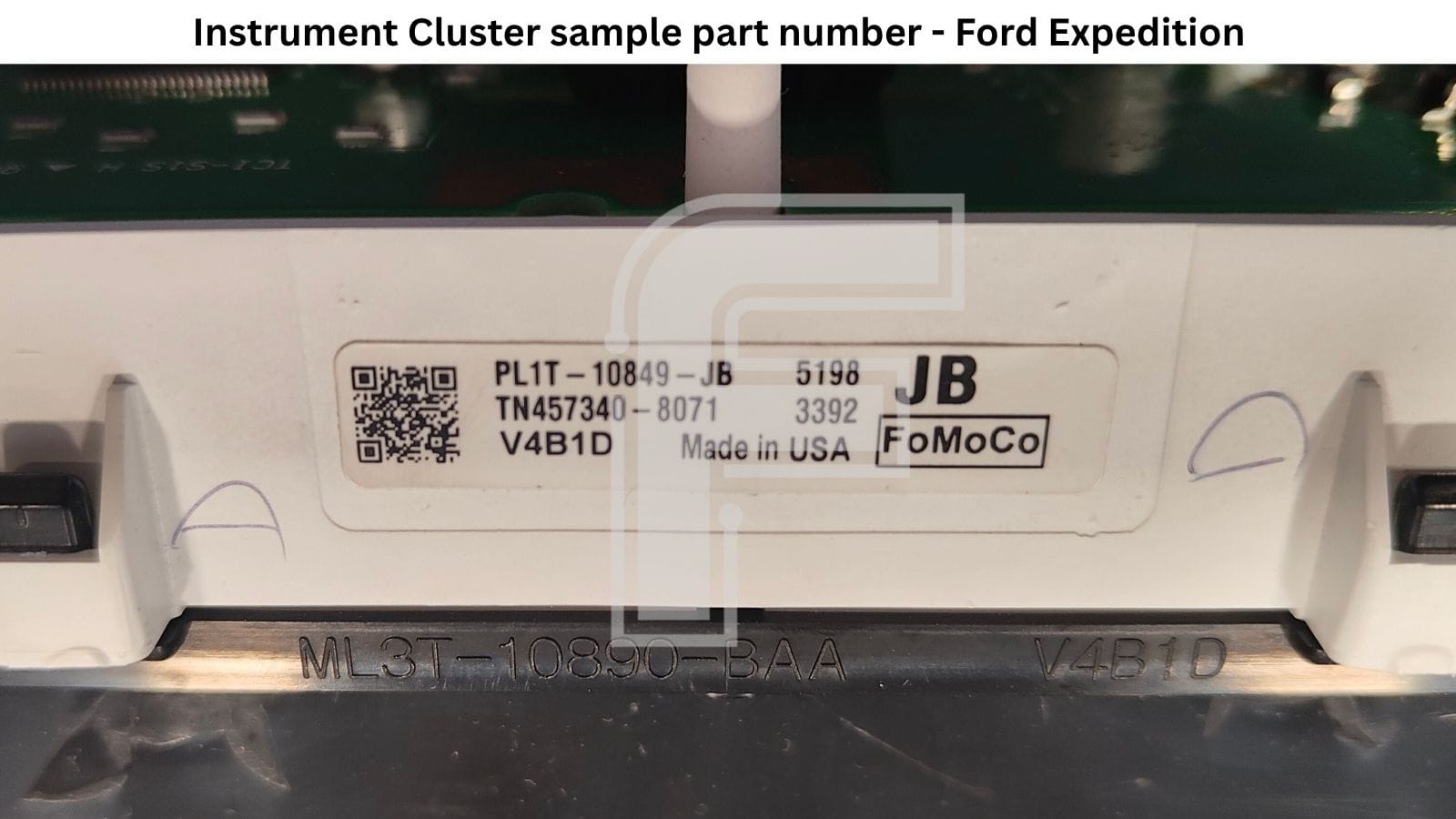
In today’s article we’re looking at another cluster from the Ford family. This time it’s the Ford Expedition after 2021, part number PL1T-10849-JB, running on the Renesas RH850 R7F701441. The Expedition is Ford’s full-size SUV, and if you know what sits under an F-150, it won’t surprise you that the two dashboards are close relatives.
Before we get to the specs of this speedometer, I want to say a few words about Ford clusters in general. If you work on Fords, the first problem usually isn’t programming. It’s getting the cluster to switch on.
Why Ford Instrument Clusters Stay Dark on the Bench
Practically all new Ford clusters, and even ones that are ten or fifteen years old, need a special CAN-bus frame before they’ll start on the bench. Power and ground alone aren’t enough. The cluster waits for the rest of the car to confirm the ignition is on, and until that message arrives, there’s nothing to look at.
The usual answer is a CAN-bus emulator connected next to the cluster, sending the frames that light it up. It works, but it’s one more device to buy, wire up and configure for every Ford platform that comes through the door.
Bench Wake-Up with FORZA 614
With FORZA 614 in your workshop, you don’t need any extra devices, because this function is built into our software. The Expedition is a good example. It won’t start without that CAN frame, so the FORZA 614 program for this cluster has a separate POWER UP button.
Press it and the cluster wakes up on your desk for a few seconds. That’s enough to see that the display and the backlight are alive before you start programming, or before the unit goes back to the customer.
What’s Inside the Ford Expedition PL1T-10849-JB Cluster
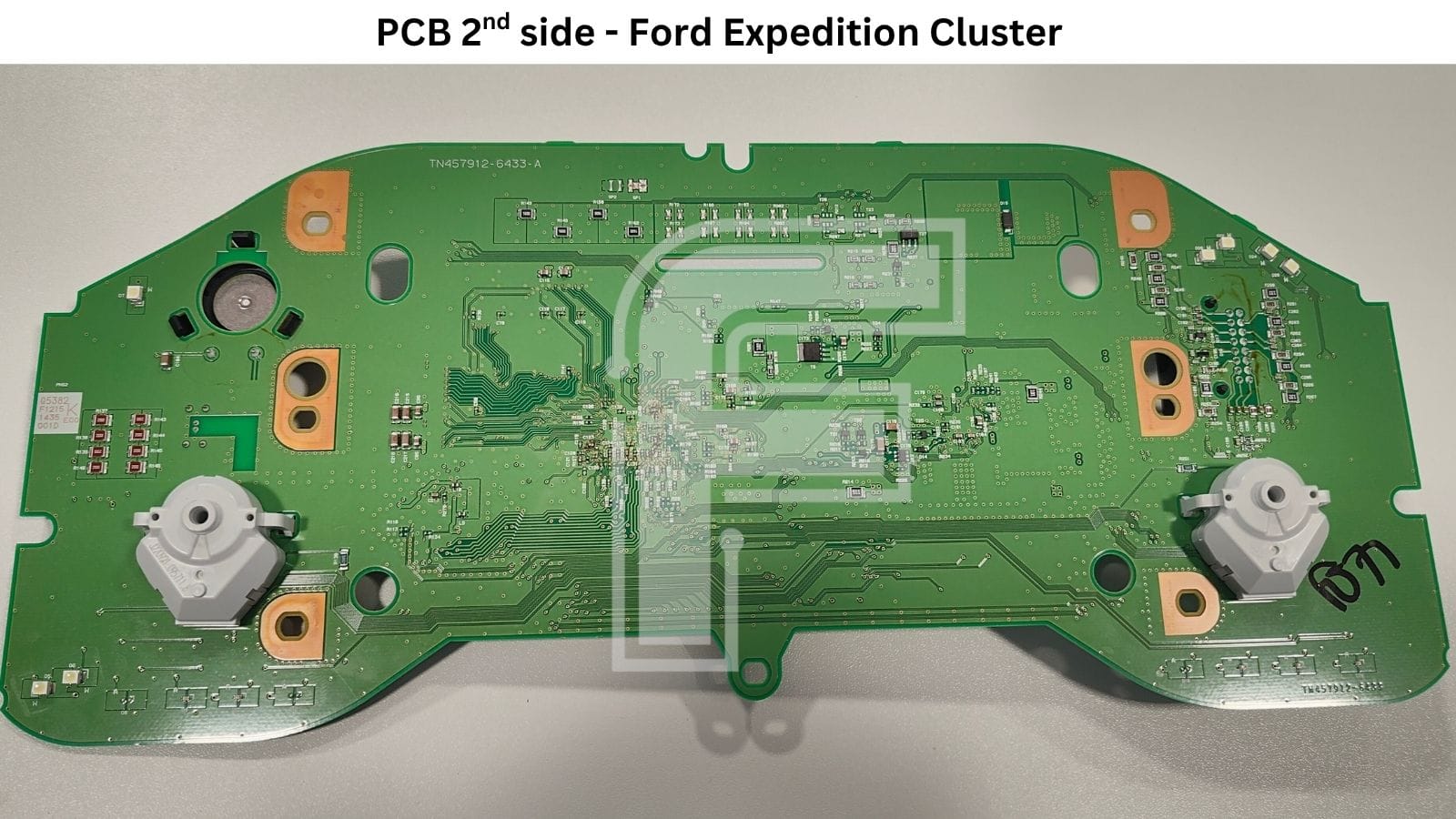
From the front it’s a familiar Ford truck layout: two analog gauges with an 8-inch screen between them. Behind it sits a board marked TN457912-6433-A. One main processor handles the gauges, the graphics and the communication, with external flash and RAM to support it. The two needle motors are on the back of the PCB, and all the electronics are on the front.
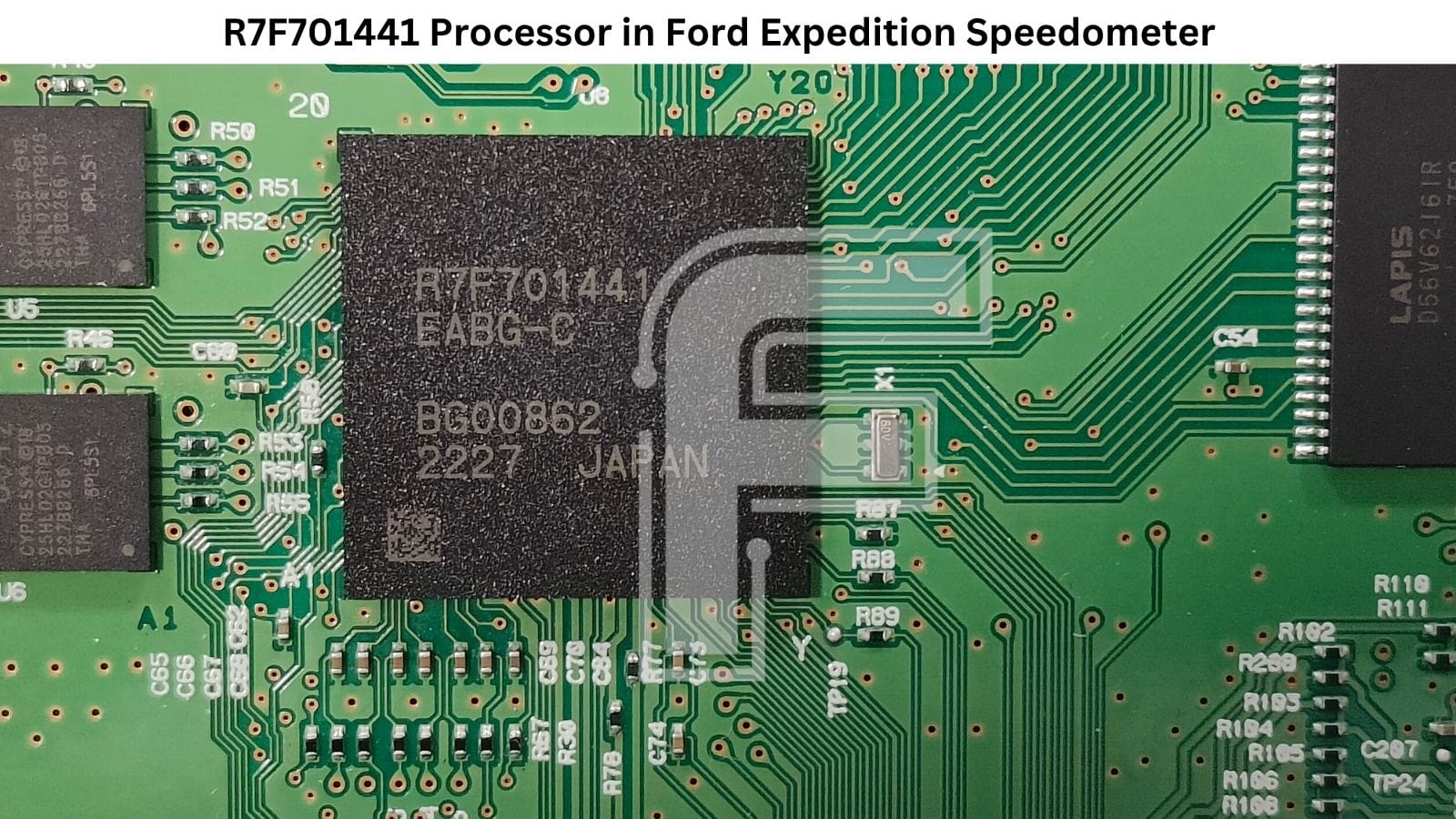
- Microcontroller: R7F701441EABG - Renesas RH850/D1M in a 272-ball BGA, with 4 MB of code flash and 64 KB of data flash. Renesas designed the D1M family for instrument clusters, so the stepper-motor driver, sound generator, 2D graphics engine and three CAN channels all live inside this one chip.
- NOR flash: 2× Cypress S25HL02GT (U5 and U6) - 2 Gbit SEMPER Quad SPI flash, placed on the left side of the MCU.
- SDRAM: LAPIS D56V62161R - a TSOP chip to the right of the MCU, working with the graphics side.
- EEPROM: none - there’s no external EEPROM on the Expedition board. Mileage and configuration are kept inside the R7F701441, in its data flash.
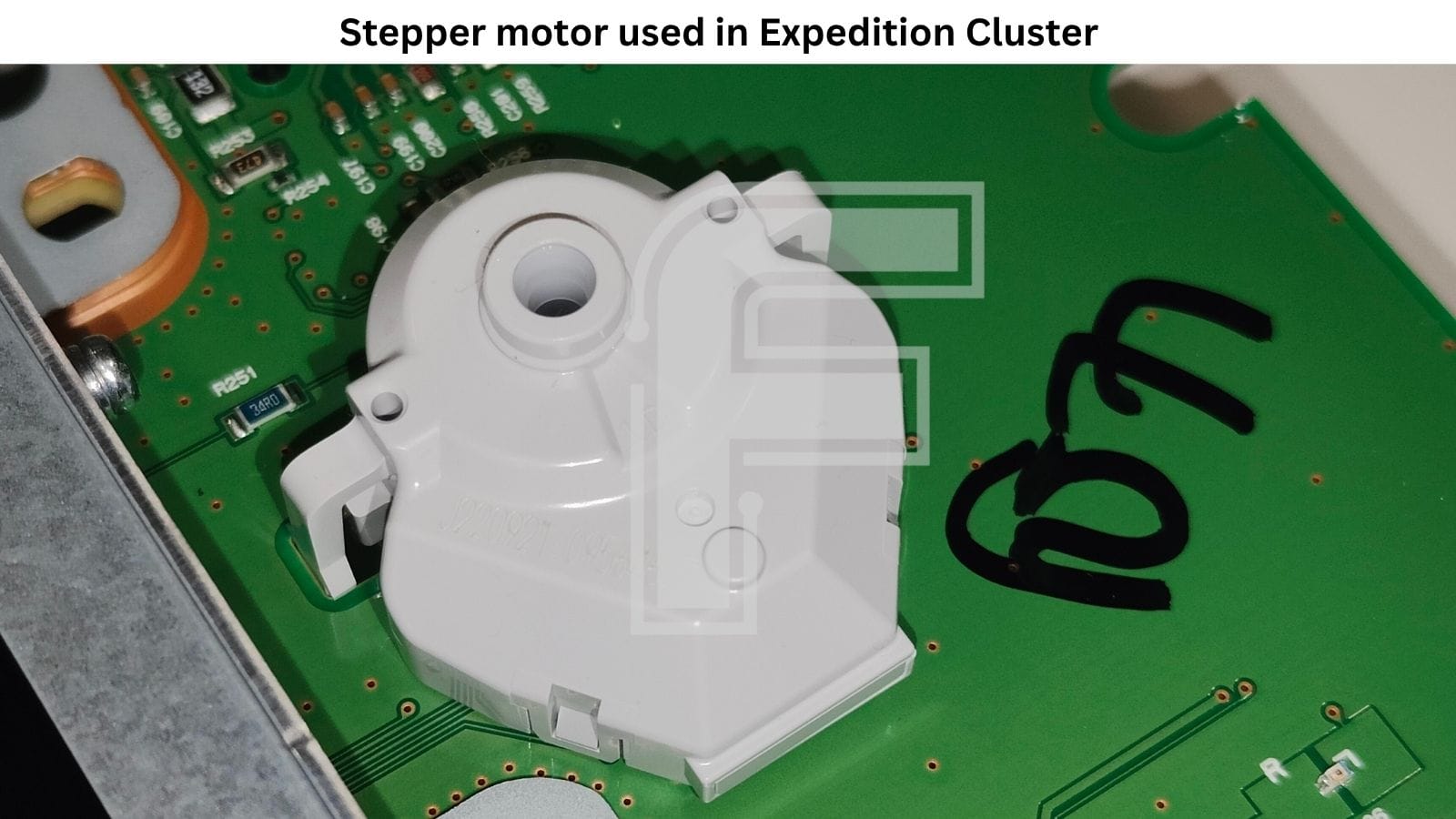
- Stepper motors: 2×, mounted on the back of the board, one for each needle.
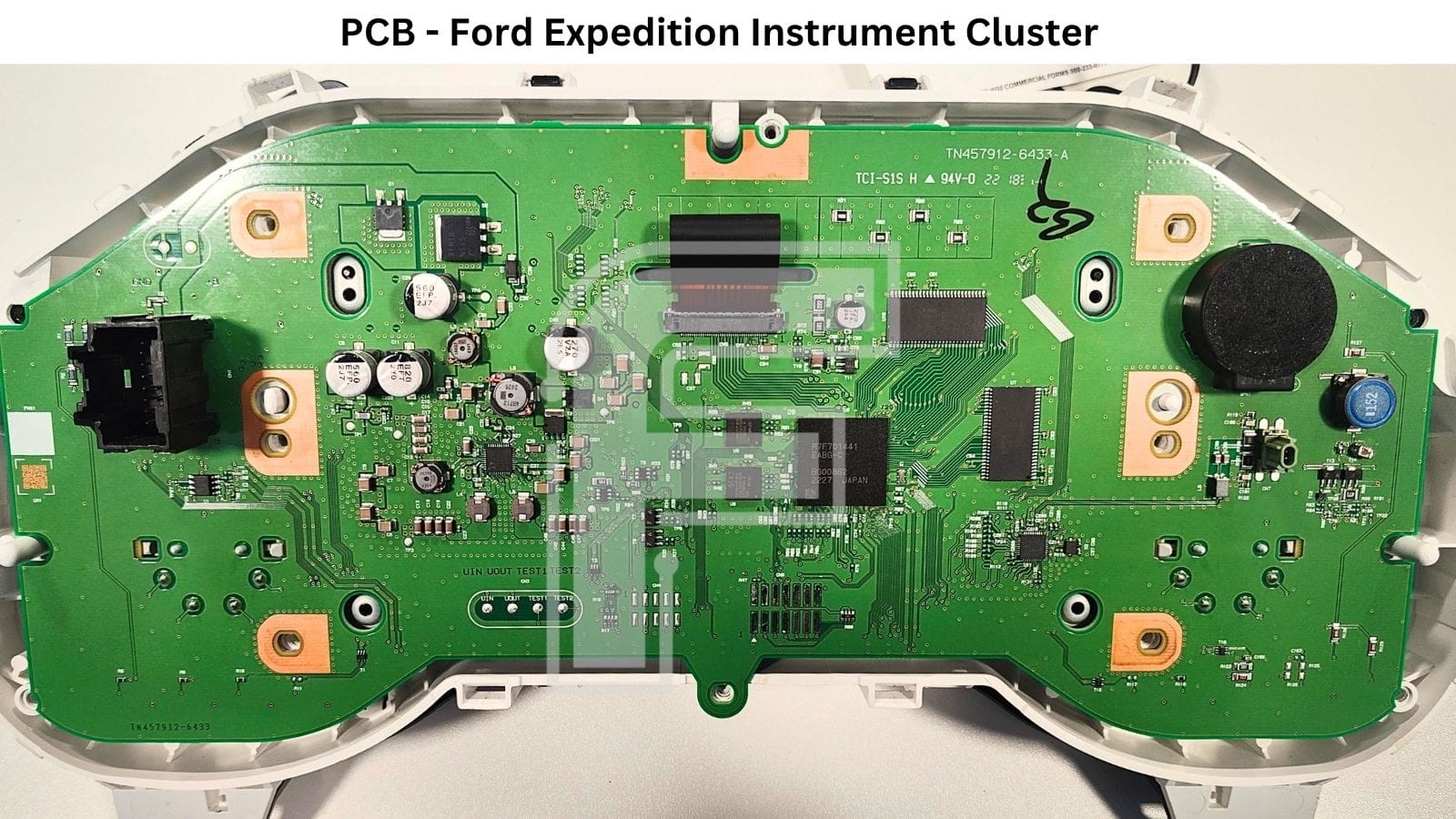
💡 Expedition vs F-150 – same brain, different board. If you’ve read our Ford F-150 R7F701441 article, this cluster will look familiar. It has the same R7F701441, the same pair of Cypress S25HL02GT flash chips and no external EEPROM. Look closer, though, and it’s a different board:
- The Expedition PCB is marked TN457912-6433-A; the F-150 one is TN457912-5770-B.
- The Expedition carries a LAPIS D56V62161R SDRAM; the F-150 has a Winbond W9864G6JH-6.
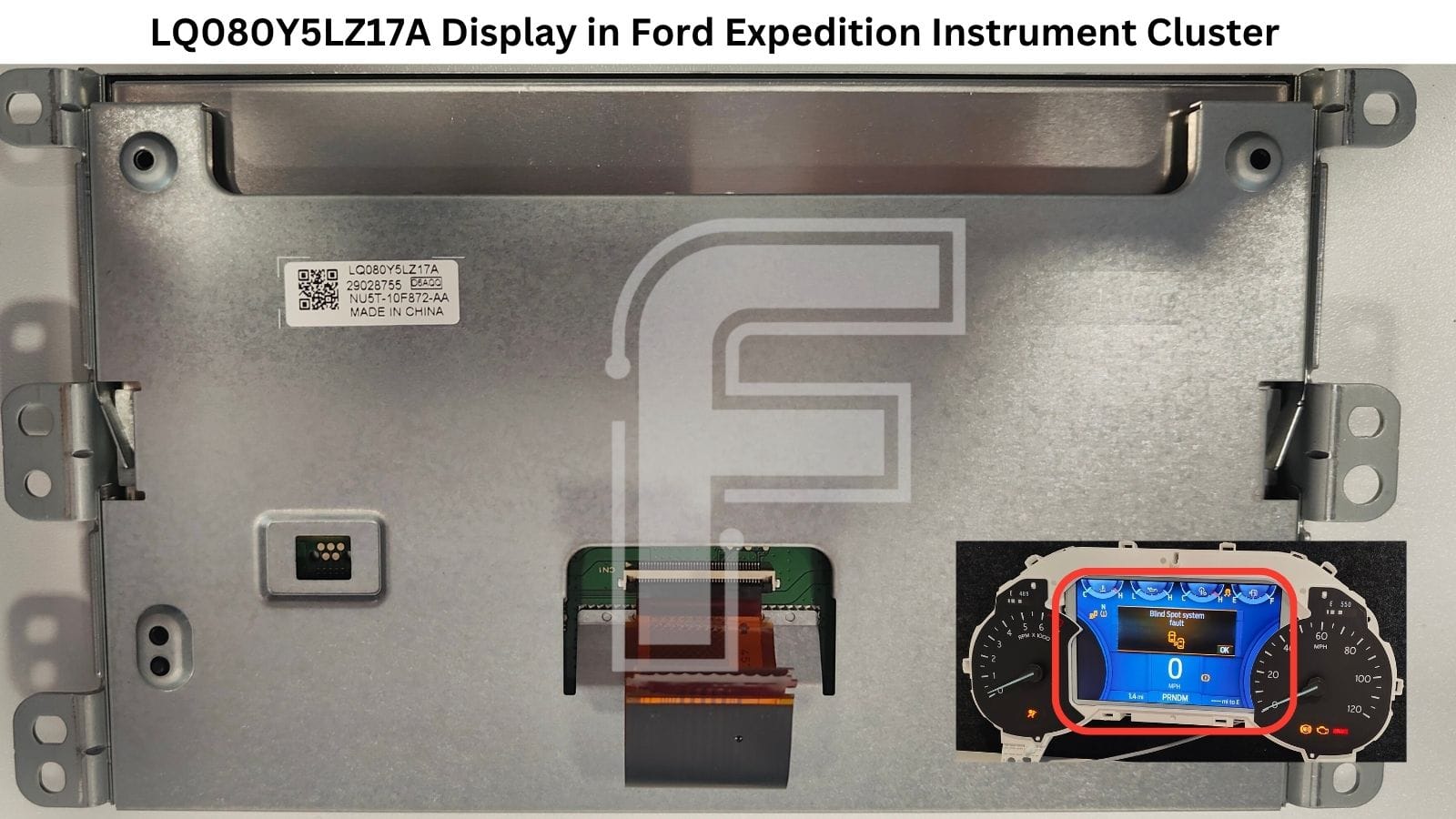
- The Expedition centre screen is an LQ080Y5LZ17A; the F-150 uses an LQ080Y5DZ04.
When you order parts, go by what’s actually on your board, not by which truck the cluster came out of.
LQ080Y5LZ17A Ford 8-inch Center Display
The centre screen in the Expedition cluster is an 8-inch TFT in its own metal frame. It’s labelled LQ080Y5LZ17A and also carries the Ford service number NU5T-10F872-AA. Its flat flex cable runs through a slot in the main PCB to a connector at the top centre of the board, so the panel comes out as a separate module.
If you’re looking for a replacement, search for both numbers. Sellers don’t always list the panel code and the Ford number together.
When the Expedition Cluster Lands on Your Bench
- A used cluster from another truck. The replacement comes with someone else’s mileage, and it has to be set to the vehicle’s real value. Sometimes that means higher, sometimes lower.
- A check before it goes back. A short power-up confirms the display and backlight work before the unit returns to the customer or goes back into the vehicle.
- A mail-in job. The customer sends only the cluster. Without a vehicle, bench wake-up is the only way to see the dash running.
FORZA 614 Software Programming Options for Ford Expedition Dashboard
In the FORZA 614 menu, the Ford Expedition R7F701441 program gives you two functions:
- POWER UP - wakes the cluster on the bench for a few seconds using the built-in CAN frame.
- Mileage programming - sets the odometer to a higher or lower value.
You can program the mileage in two ways. If the truck is in your workshop, connect FORZA 614 to the OBD2 port and set the value with the cluster still in the dash. If you only have the cluster, for example on a mail-in job, connect F1 + F2 and do the same thing on your desk.
💡 Don’t panic when the screen goes dark. While FORZA 614 writes the new mileage, the Expedition cluster switches into a different mode. The display either goes dark or shows a single line with the mileage at the bottom of the screen. This is how the cluster behaves during the write, so leave everything connected and let it finish.
ℹ️ The Ford Expedition R7F701441 stores mileage and configuration in the processor’s data flash, not in an external EEPROM. FORZA 614 covers bench power-up and mileage programming in both directions, through OBD2 or the dash plug. A full 1:1 read or write of that data flash isn’t supported, so there’s no memory clone onto a donor. On a cluster swap, you program the correct mileage on the replacement unit.
Ford Expedition R7F701441 Dashboard Pinout
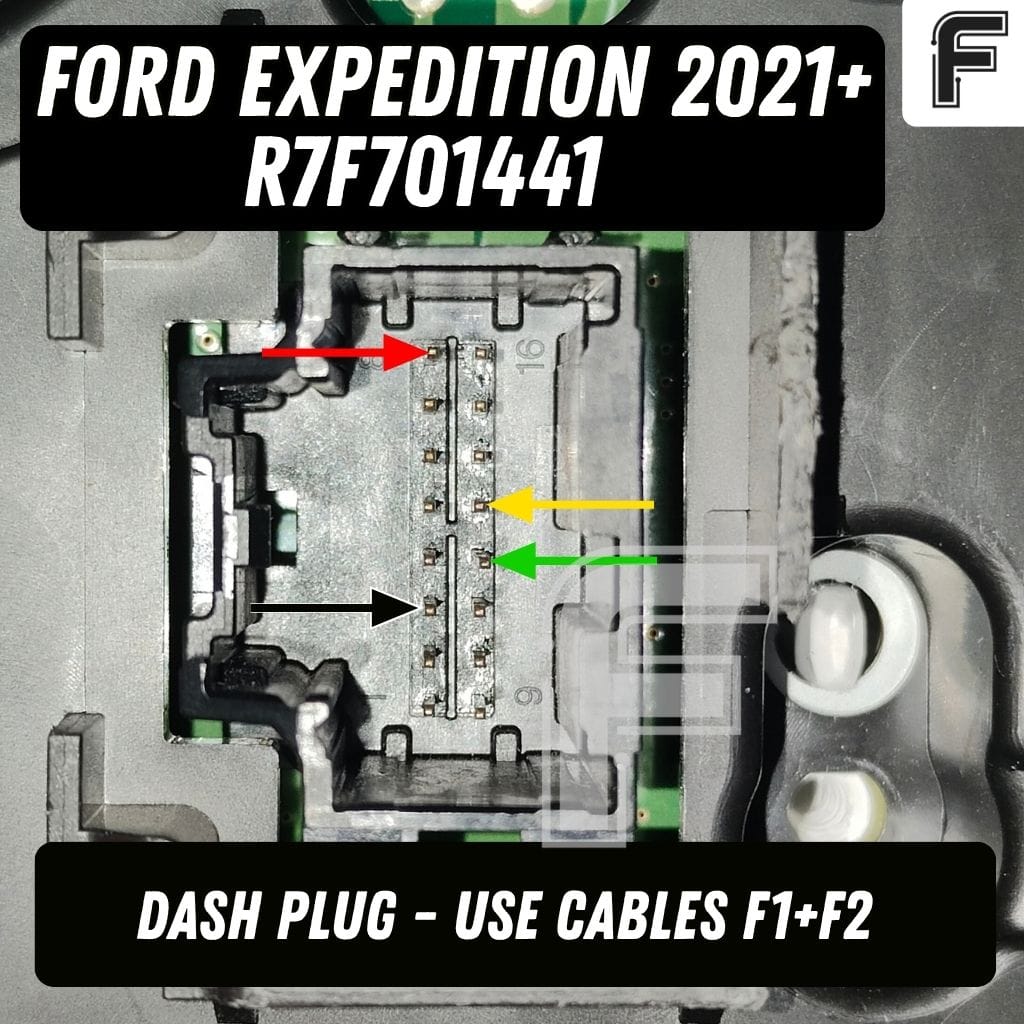
In the vehicle, FORZA 614 goes straight into the OBD2 port. On the bench, you only need two cables: F1 + F2. F1 is the main adapter that connects FORZA 614 to the F2–F9 cables, and F2 goes to the Expedition cluster connector on the left side of the board.
The full Ford Expedition R7F701441 instrument cluster pinout is in the FORZA 614 PC application, under this cluster’s program, so you can check every pin before connecting anything.
What a Built-In CAN Wake-Up Means for Your Ford Work
As we said at the start, almost every newer Ford needs a wake-up frame before it shows you anything. Each one you can switch on with your programming tool is one less reason to keep an emulator, extra adapters and setup notes for every platform on the desk.
It also makes mail-in work realistic. The customer sends just the cluster, you check it and set the mileage on the bench, and it goes back without the vehicle ever visiting your workshop. For the owner, that costs a lot less than a new cluster from the dealer.
FAQ
Why won’t the Ford Expedition R7F701441 cluster start on the bench with only power connected?
Like most newer Fords, the Expedition cluster waits for a CAN-bus frame confirming the ignition is on. FORZA 614 sends that frame itself when you press POWER UP, so you don’t need a separate CAN emulator.
Where is the mileage stored in the Ford Expedition PL1T-10849-JB cluster?
Inside the R7F701441 microcontroller, in its data flash. The Ford Expedition cluster has no external EEPROM.
Why does the Ford Expedition cluster display go dark during mileage programming?
During the write, the cluster switches into a programming mode. The display goes dark or shows one line with the mileage at the bottom. This is normal for this cluster.
Do I need to remove the Ford Expedition cluster from the dash to change the mileage?
No. FORZA 614 programs the Ford Expedition R7F701441 mileage in the vehicle through OBD2. The bench option with F1 + F2 is there for when you only have the cluster.
Can I clone the full memory of the Ford Expedition cluster onto a donor with FORZA 614?
No. A full 1:1 read and write of the R7F701441 data flash isn’t supported on this model. You program the correct mileage on the replacement cluster instead.
Which FORZA 614 connections do I need for the Ford Expedition dashboard?
In the vehicle, the OBD2 port. On the bench, F1 + F2: F1 is the main adapter, and F2 connects to the cluster.


