

OBD2 and Dash Plug solution
Today on the workbench we have something a little different: a first-generation Nissan Leaf instrument cluster, part number 24810-3NA0C, pulled from a 2011 car. This is the ZE0 platform cluster that Nissan used right through the first Leaf run, roughly 2010 to 2017, and it was built by VDO.
Nissan Leaf 24C16 Instrument Cluster Odometer reset
Inside the Nissan Leaf ZE0 cluster
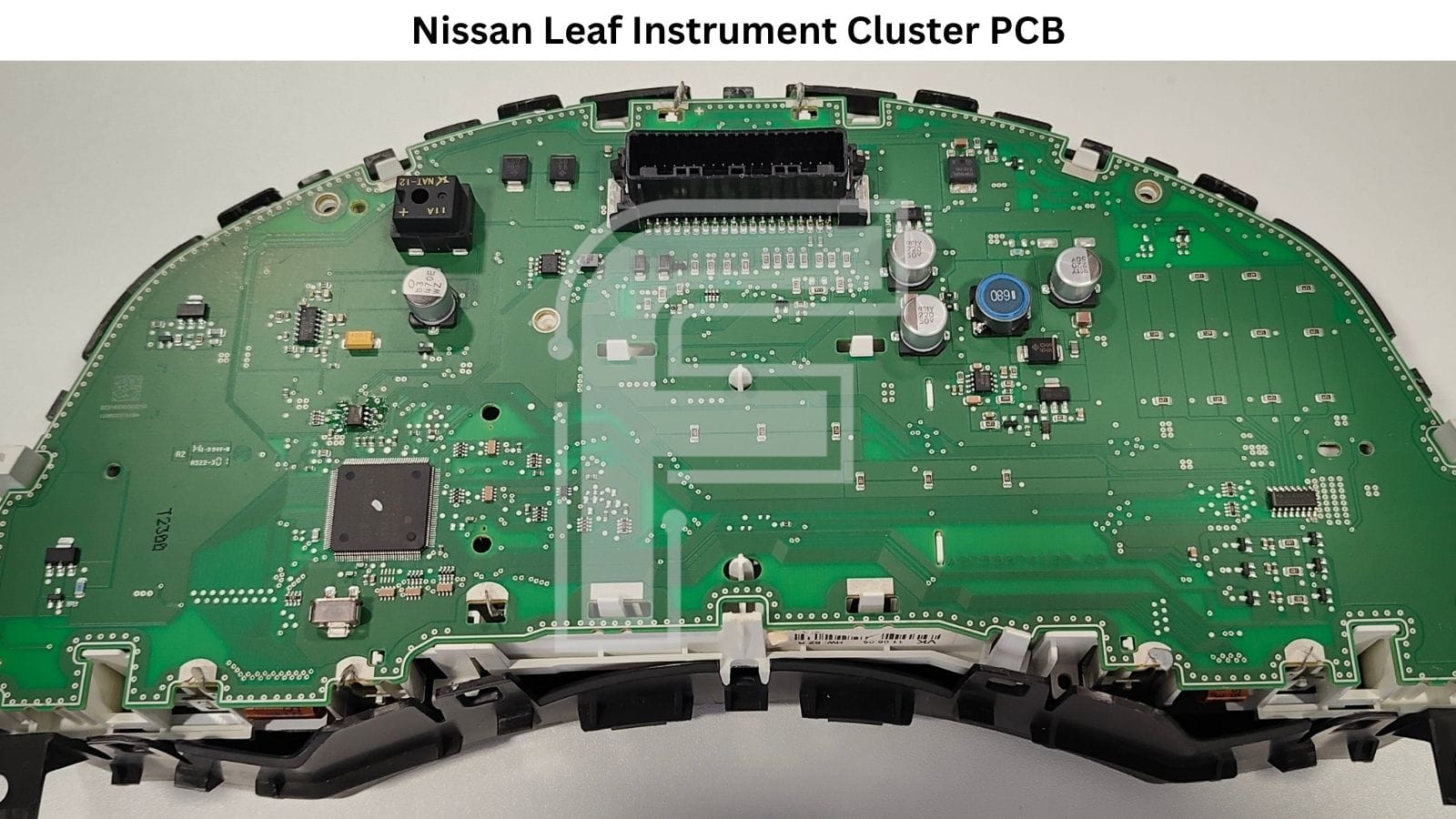
The board layout is straightforward compared to what Nissan moved to later. One NEC microcontroller running the whole show, a 24C16 EEPROM holding the stored data, and the rest of the space given over to driving the display panels and their backlighting.
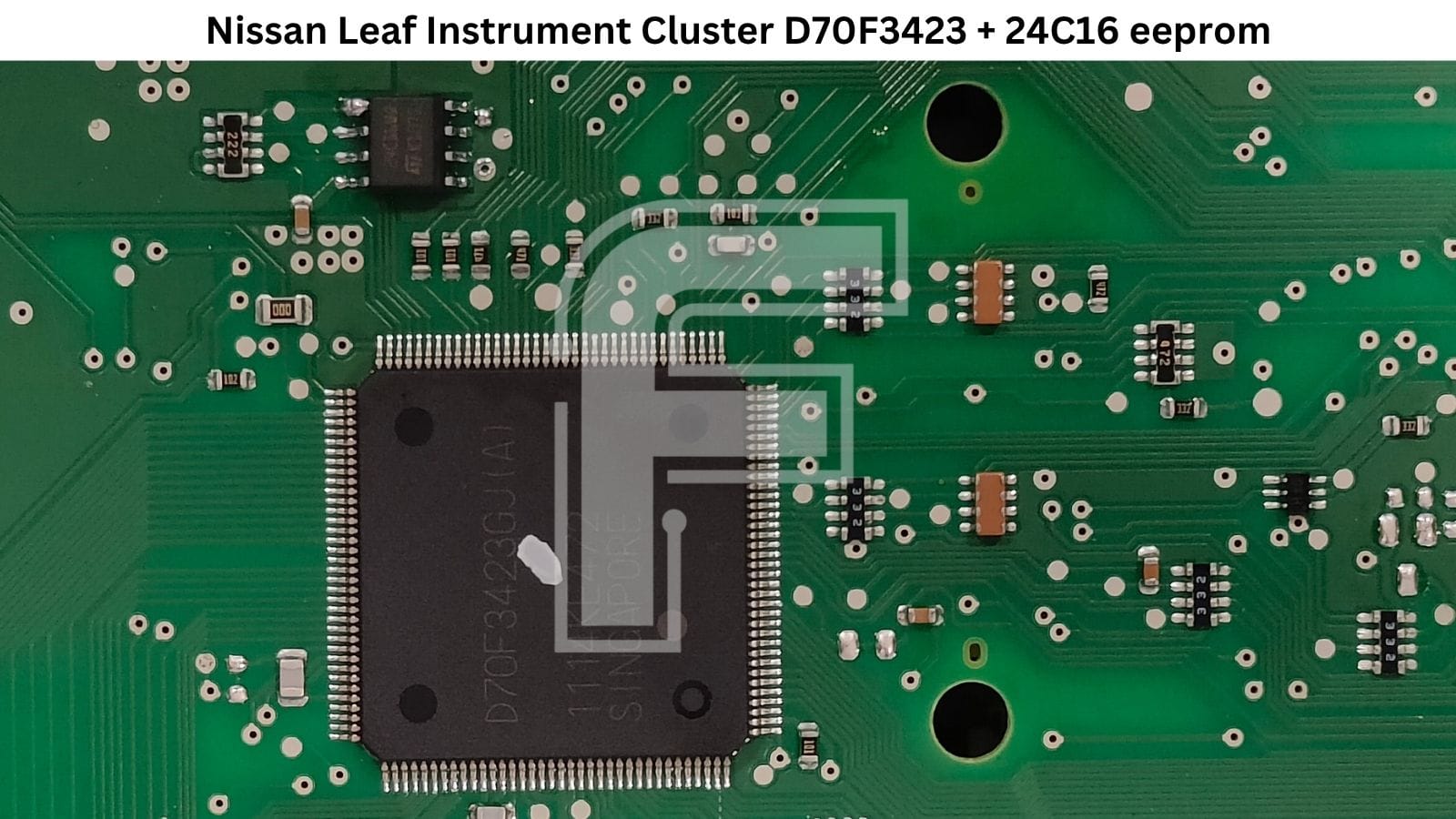
- Microcontroller: NEC D70F3423 handles cluster logic, CAN-bus communication, and drives the display output.
- EEPROM: 24C16 stores mileage and cluster configuration data.
- Cluster manufacturer: VDO.
- Cluster part number: 24810-3NA0C.
The EEPROM used in this cluster is a 24C16. The microcontroller is a NEC D70F3423. If you're searching by chip, those are the two numbers that matter.
Four LCD panels and not a single stepper motor
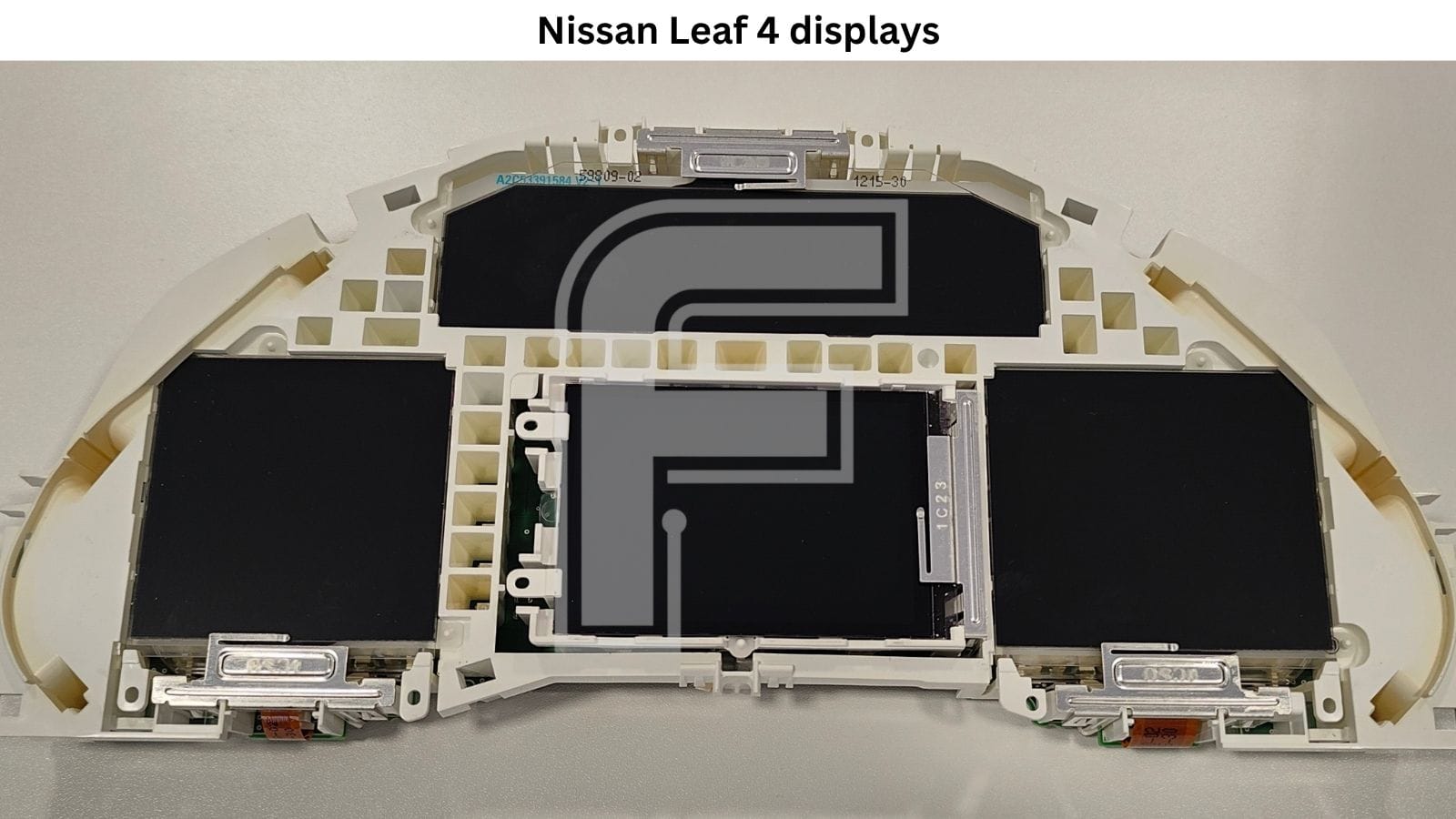
This is the part that surprises people the first time they open one. A conventional cluster from the same era would have four or five stepper motors driving physical needles, and half the repair work would be motor replacement and needle calibration. The Leaf has none of that. Speed, state of charge, power meter, range – every single indication is drawn on a screen.
There are four separate LCD panels in this cluster, sitting in their own frames within the white carrier, each with its own flex connection back to the board. We didn't strip this one down to individual panel part numbers, so we're not going to quote numbers we haven't verified.
What this means practically for a repair shop: the entire stepper motor category of faults simply doesn't exist here. No sticking needles, no motors losing steps, no needle re-indexing after a repair. Instead, your failure points shift to the panels themselves and their flex connections. It's a different repair profile, and worth knowing before you quote a job on one of these.
Common faults on the Leaf cluster
- One section of the display goes dark or dim while the rest of the cluster still works - with four independent panels, a fault usually kills one zone rather than the whole screen.
- Flickering or missing segments that come and go with temperature or vibration, typically pointing at a flex connection rather than the panel itself.
- Backlight failure leaving a readable but very dim display.
- Cluster shows nothing at all despite the car being awake, which usually sends you back to power supply and the microcontroller side rather than the panels.
FORZA 614 software programming options for the Nissan Leaf dashboard
This is where the Leaf cluster is genuinely easy to work with, and it's the reason we like this one.
The full contents of the 24C16 can be read and written diagnostically with FORZA 614 through OBD2 in the car, or on the bench through the dash connector. That's both directions. You don't need to desolder the chip, you don't need a serial EEPROM programmer clipped onto it, and you don't need to touch the board at all. Back up the original data, modify, write it back.
On top of the full memory read and write, FORZA 614 gives you direct mileage programming on this cluster - up and down. If you're correcting an error, restoring a figure after a board repair, or aligning a donor cluster to the car it's going into, you can set the value directly rather than working around it.
In the car, the software runs over OBD2. Plug in, connect, done. No dash removal needed for a straight mileage job.
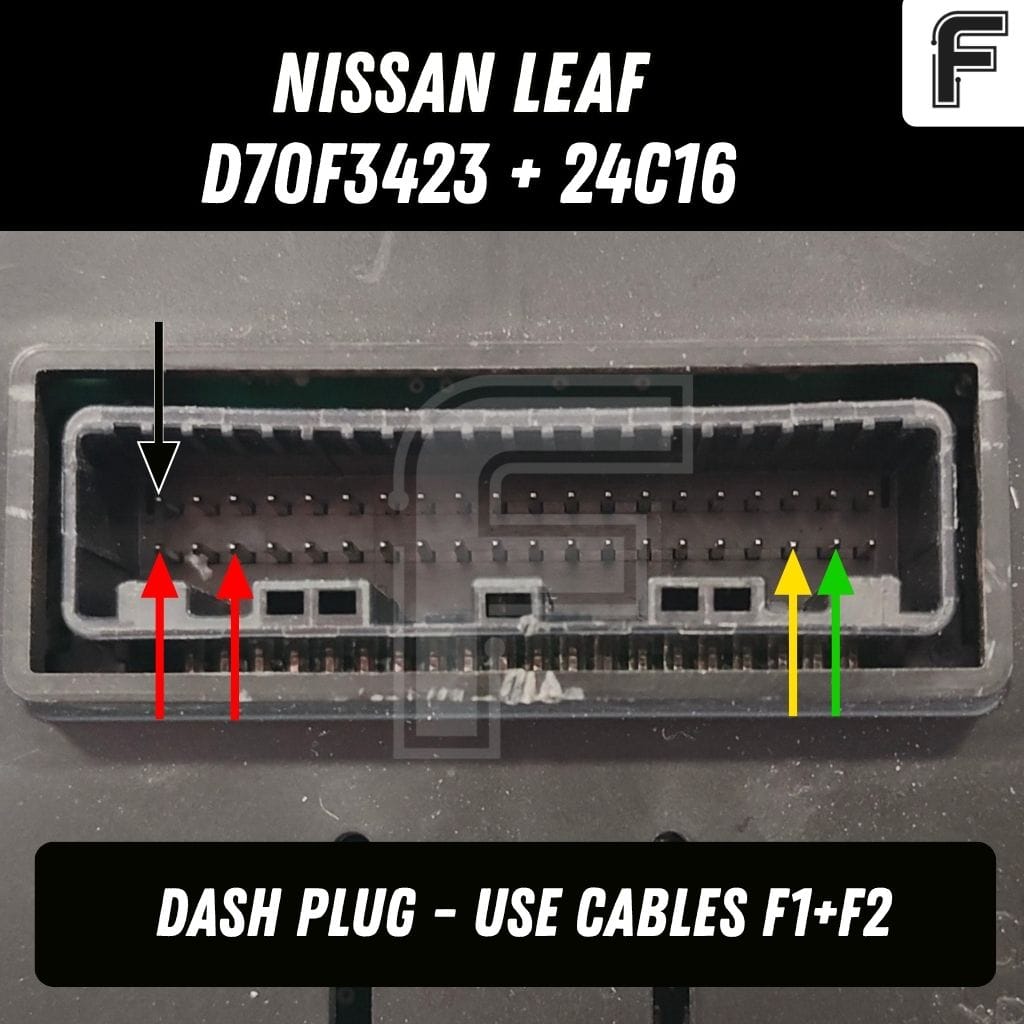
On the bench, you connect with the F1 + F2 cable pair. F1 is the main adapter that links FORZA 614 to the F2-F9 cable range, and F2 is what you'll be using for this cluster.
Nissan Leaf dashboard pinout
The bench connection pinout for the Nissan Leaf cluster is built into the FORZA 614 PC application. Open the model, and the pinout is shown on screen alongside the programming options, so there's nothing to look up separately and nothing to guess at while you've got the cluster wired up in front of you.
Powering the Leaf cluster on the bench
One thing that makes this cluster pleasant to work with: it starts up on power alone. Feed it two +12V lines and ground, and the cluster wakes up on its own - displays light, the screens come alive, you can see straight away whether the panels are healthy before you do anything else.
No CAN-bus signal needed just to get it running, no separate CAN generator sitting on the bench.
If you want to go further and actually test CAN-bus communication, you add CAN-H and CAN-L on top of the power lines. That's the full bench setup: 2× +12V, ground, CAN-H, CAN-L. But for a quick visual check on an incoming cluster, power alone is enough to tell you a lot.
All five connections are shown in the pinout inside the FORZA 614 PC application.
Why workshops handle these in-house
A Leaf cluster job sent to a dealer means a new part, coding, and a bill that makes the customer think twice about keeping an eight-year-old EV on the road. A workshop that can read and write the 24C16 diagnostically can take the same job, do it in an afternoon, and charge a fraction of that.
It also scales well as mail-in work. The cluster is small, it ships easily, and the whole procedure runs from the dash connector on the bench - no vehicle required. First-generation Leafs are cheap now and there are a lot of them still on the road, which means a steady stream of clusters, donor units, and mileage alignment work.
One subscription, no per-job fees
FORZA 614 runs on a flat monthly subscription. There are no individual licences to buy per model, no tokens, no per-operation charges. You refresh the activation and you work. Every new cluster we add, including this one, lands in the same subscription you're already paying for, and that subscription is what funds the next batch of models going in.
FAQ - 24C16 Nissan Leaf Instrument Cluster
What EEPROM does the Nissan Leaf ZE0 instrument cluster use?
It uses a 24C16 serial EEPROM. The microcontroller alongside it is a NEC D70F3423, and the cluster part number on the unit we worked on is 24810-3NA0C.
Do I need to desolder the EEPROM to read it?
No. FORZA 614 reads and writes the full 24C16 contents diagnostically, either over OBD2 in the vehicle or through the dash connector on the bench. The chip stays on the board.
Can mileage be programmed both up and down?
Yes. FORZA 614 supports setting the mileage value in either direction on this cluster.
Which cables do I need for bench work?
F1 plus F2.
Do I need a CAN-bus generator to power this cluster on the bench?
No. The Nissan Leaf ZE0 cluster starts up on 2× +12V and ground alone - the displays come on without any CAN signal. You only need to add CAN-H and CAN-L if you want to test CAN-bus communication as well.


