

How Can You Use FORZA 614 for Fiat Bravo II Dashboard Repair?
The vehicle database for the FORZA 614 platform continues its rapid expansion into essential, high-volume workshop modules. Today, we are analyzing the hardware blueprint, common display failures, and bench adaptation protocols for the generation-two Fiat Bravo II instrument cluster.
Manufactured in Italy by Magneti Marelli, this dashboard is a true automotive classic. The visual layout consists of four traditional analog gauges (speedometer, tachometer, fuel level and engine temperature) surrounding a central, horizontally oriented rectangular LCD panel that glows with the signature Fiat amber backlighting. Because these vehicles are highly prevalent across global markets, adding this specific Marelli module to your workbench capabilities guarantees a steady stream of diagnostic and restoration jobs.
Fiat Bravo II - 95080 Instrument Cluster (dashboard) programming with FORZA 614
Hardware Architecture: The Magneti Marelli Blueprint
When you unclip the plastic housing of the Fiat Bravo II cluster to access the main PCB, you are presented with a highly standardized, traditional Italian hardware architecture.
Detailed Component Inventory & Part Numbers:
- The Core Processing Unit:
System logic and bus communication are governed by the Hitachi H8S series microcontroller. - The External Configuration Memory:
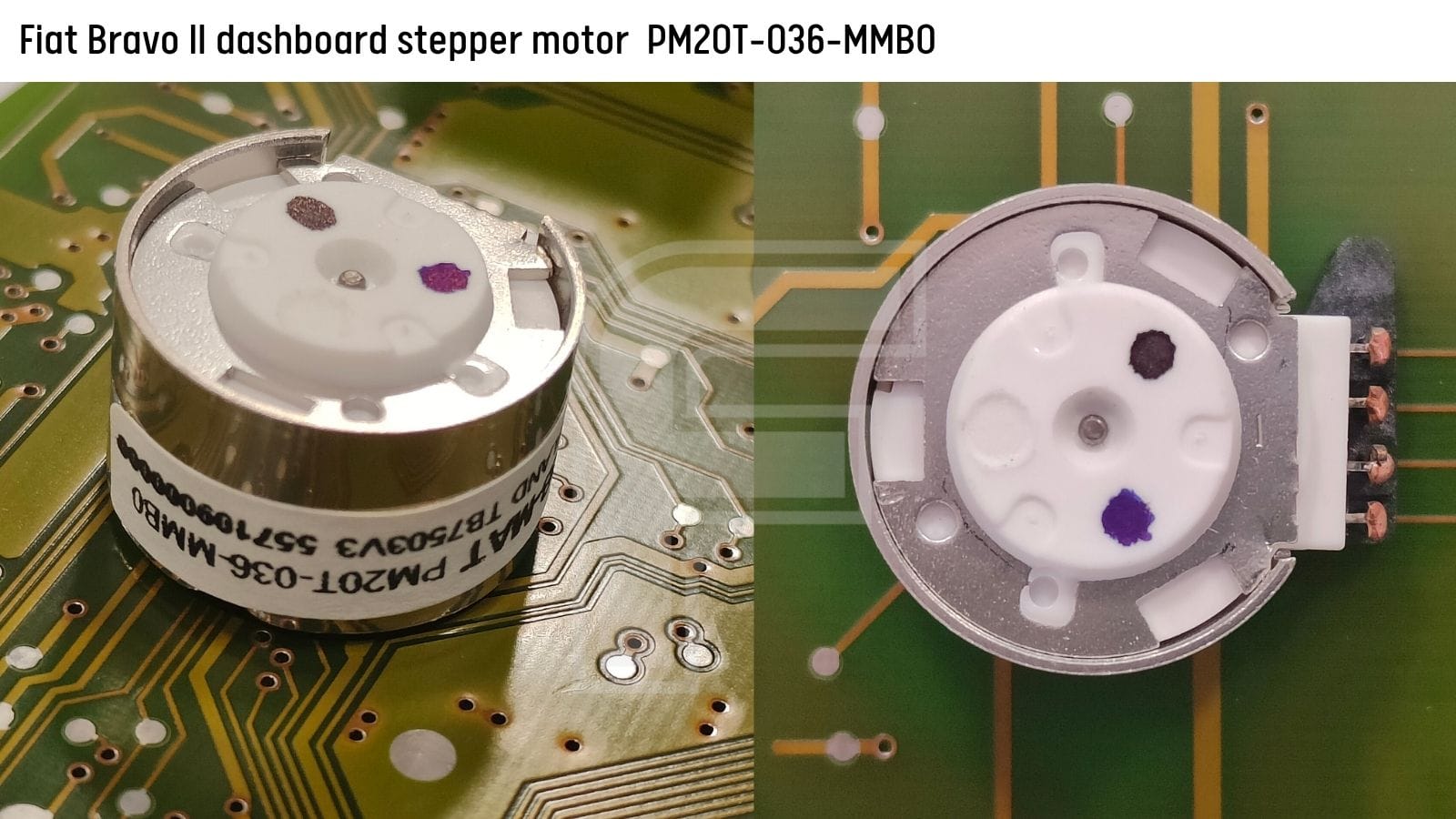
Mileage metrics and configuration variables are stored inside an adjacent 95080 Serial EEPROM chip. - The Stepper Motors : The physical gauge needles are driven by standard Magneti Marelli stepper units. The factory part stamps carry the exact technical codes: NMB-MAT PM20T-036-MMB0 (Thailand TB7503V3 / 5571109000000).
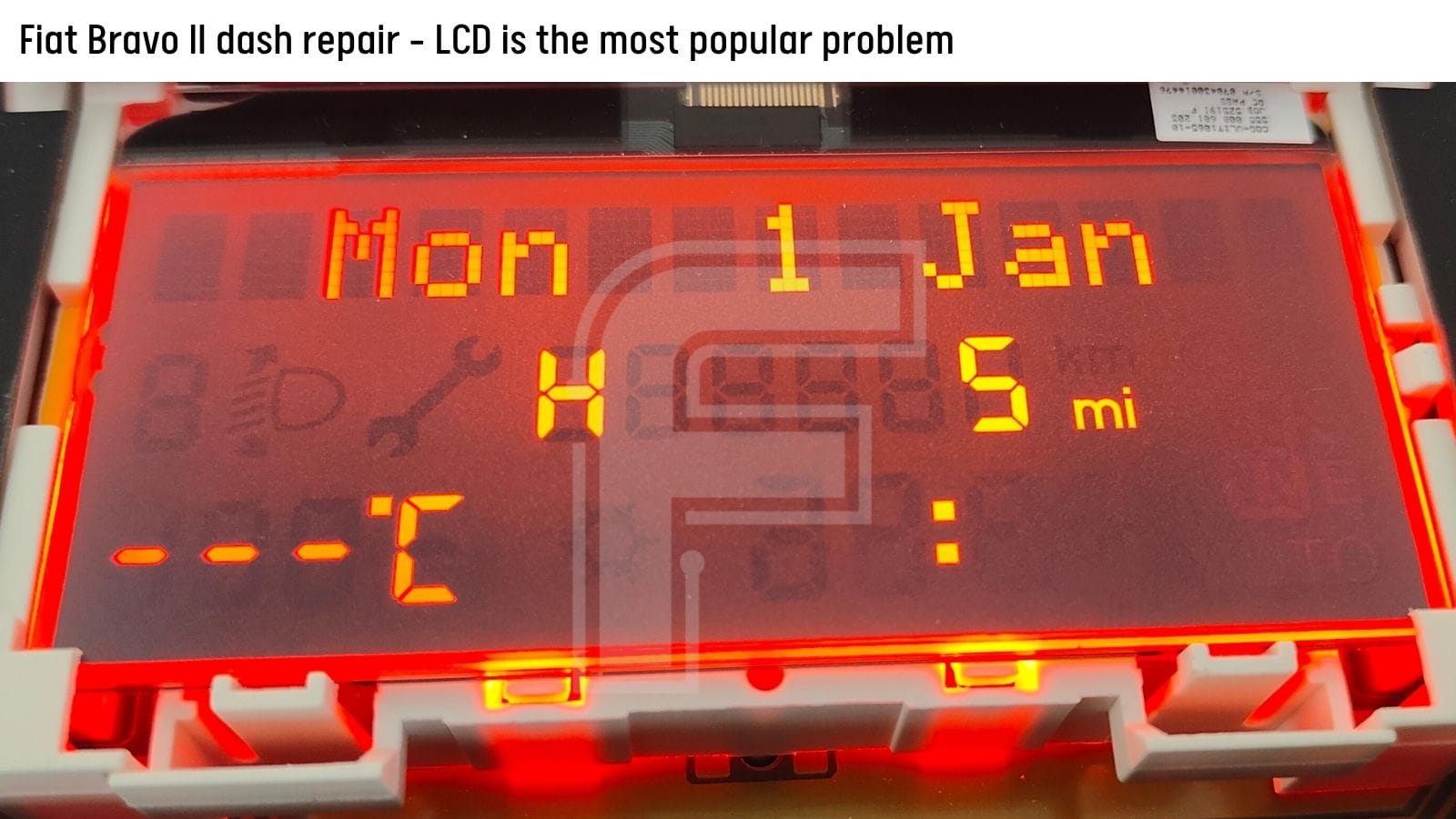
- The Liquid Crystal Display: The amber monochrome display panel is stamped with two unique manufacturing identifiers: COG-VLIT1065-10 and 555 000 681 203.
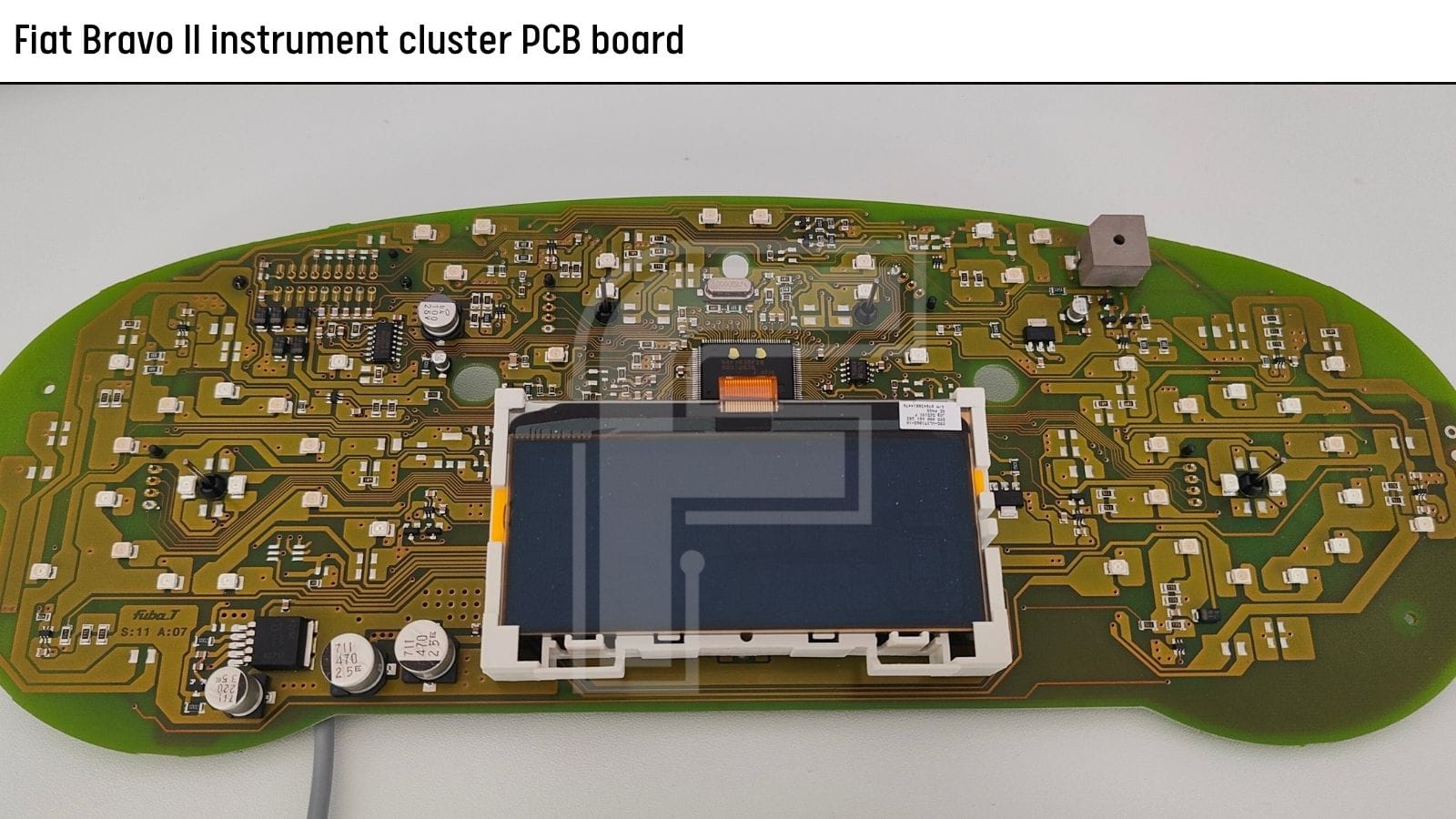
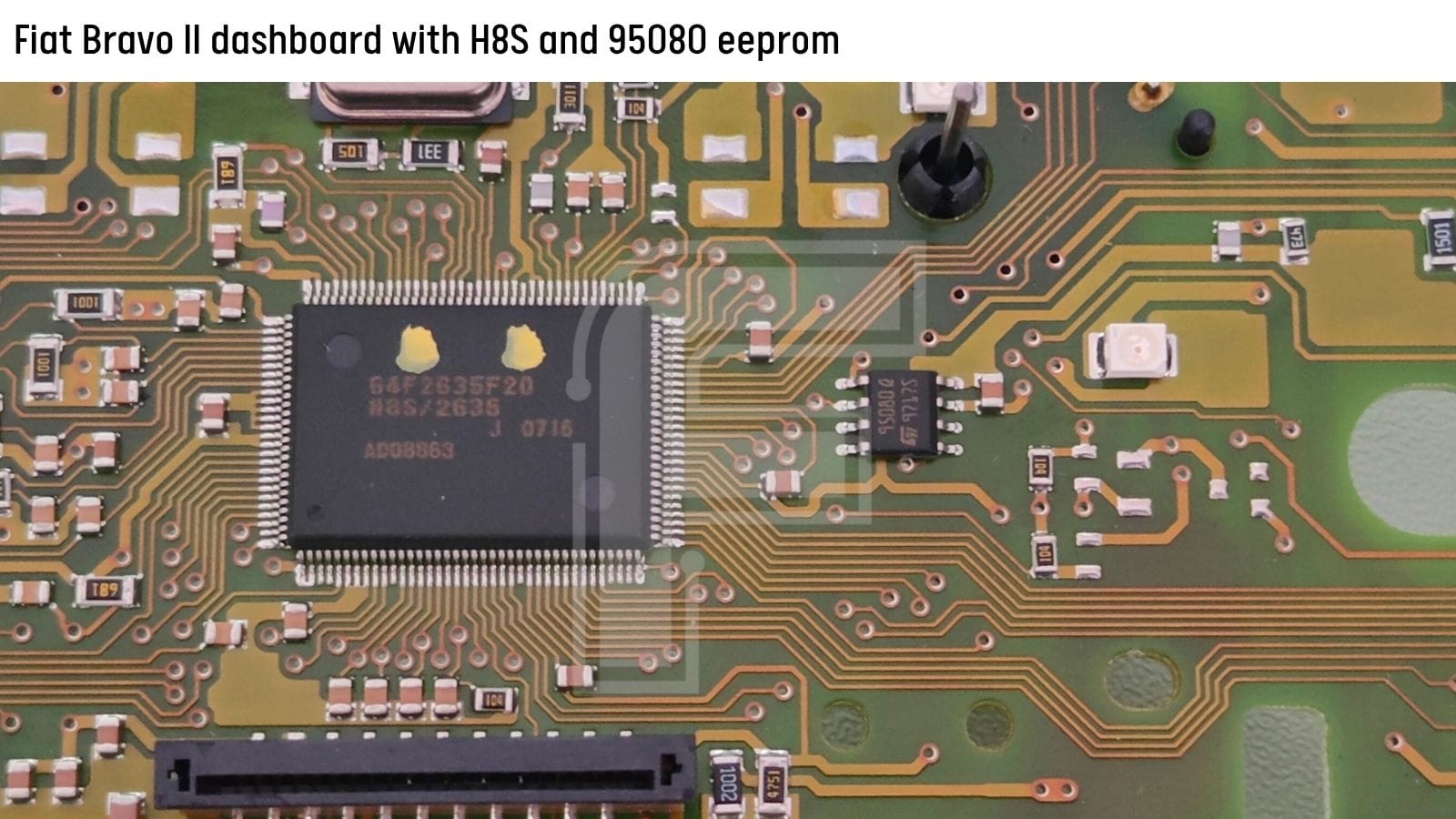
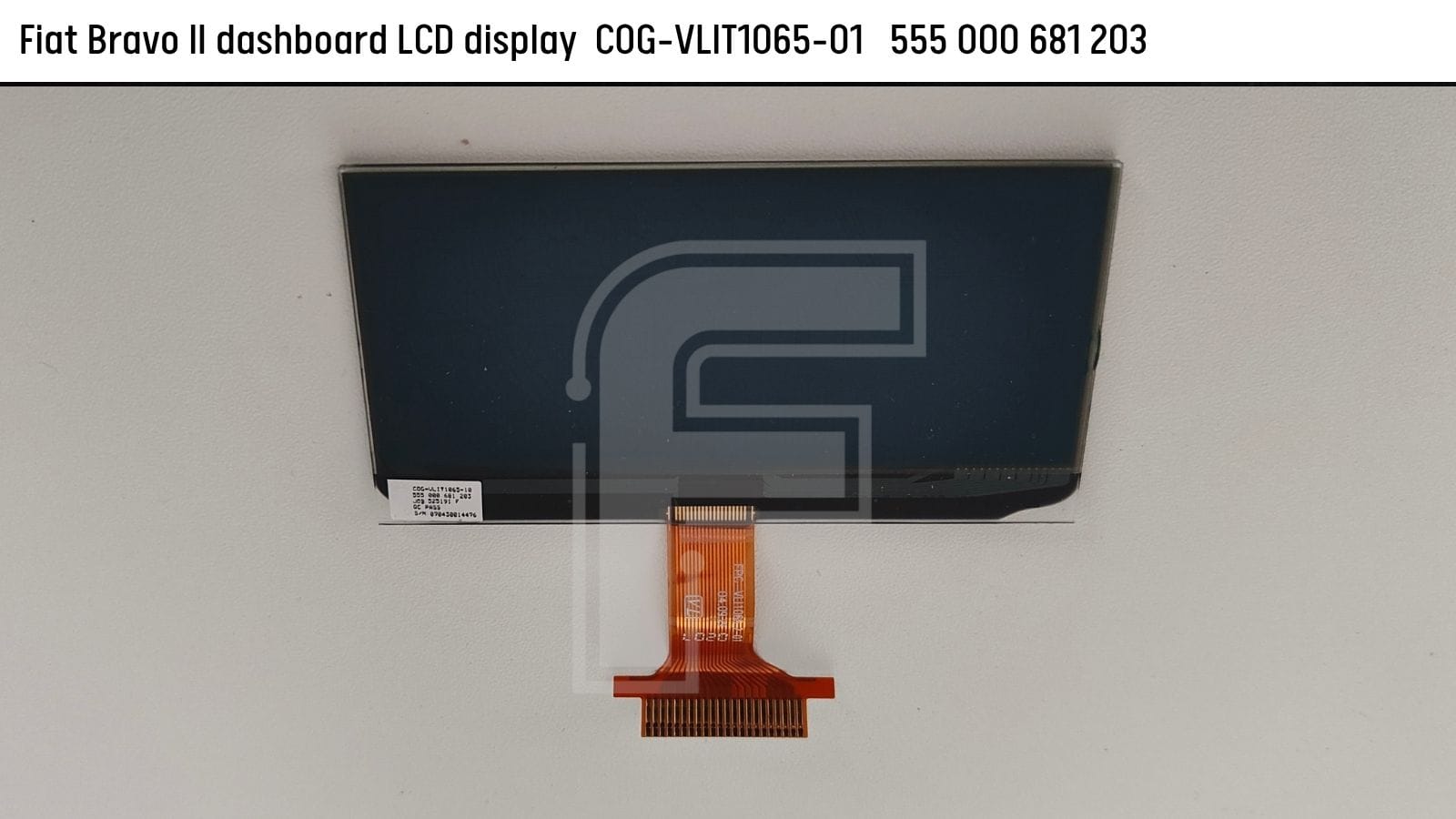
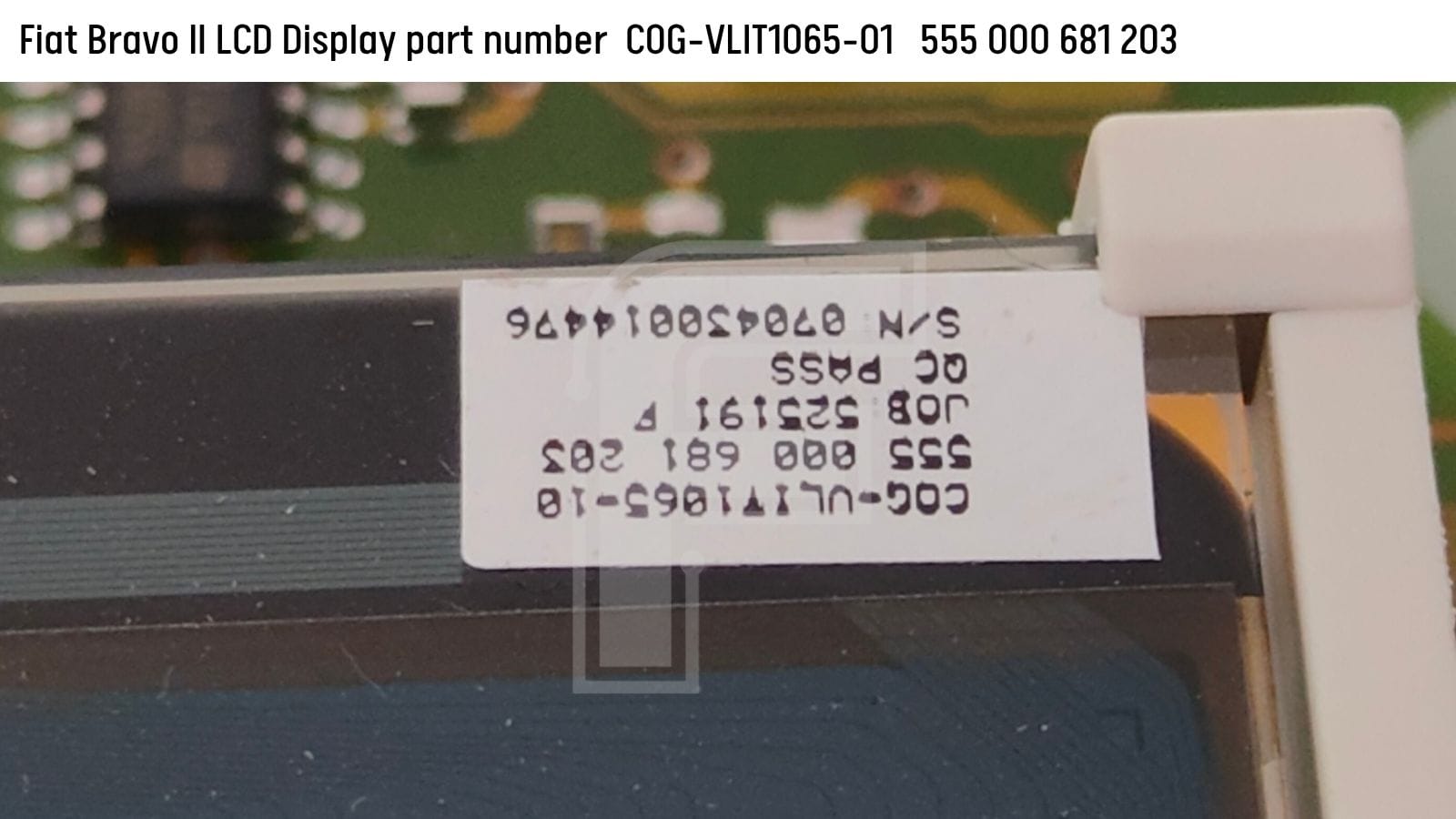
MCU: H8S
Eeprom: 93080
Display LCD: COG-VLIT1065-10
Stepper motors: NMB-MAT PM20T-036-MMB0
Common Failure Modes:
The Fading LCD Display Trap
Technicians handling a Fiat Bravo II cluster repair service will almost always face display anomalies rather than mechanical stepper motor faults. The COG (Chip-On-Glass) display network is highly vulnerable to thermal stress and long-term climate exposure:
- The Fading Contrast Phenomenon: As these cars age and sit in direct sunlight, the dashboard temperatures skyrocket. This extreme heat degrades the liquid crystal layers over time, causing the display to lose its contrast entirely. When the car warms up, it becomes completely impossible to read the odometer or menu metrics.
- Missing Segments and Dead Rows: Heat expansion often weakens the bonded connections on the display ribbon, leading to missing pixels, dead horizontal lines, or partial section failures.
- The Total Blackout State: In the worst-case scenarios, the backlighting network fails or the LCD panel completely breaks down, leaving the driver without any menu configurations or warning icons.
⚠️ Critical Replacement Warning: There are several visually identical displays used across the Fiat/Alfa/Lancia lineup from this era, but they utilize completely different internal segment maps. When sourcing replacement glass to fix a broken display, you must match the exact COG-VLIT1065-10 part number, or certain display lines will show garbled characters.
Advanced Bench Testing:
The FORZA 614 Workflow
FORZA 614 provides an optimized, stable testing and programming environment for the Magneti Marelli H8S platform, allowing you to interface with the module via two execution paths:
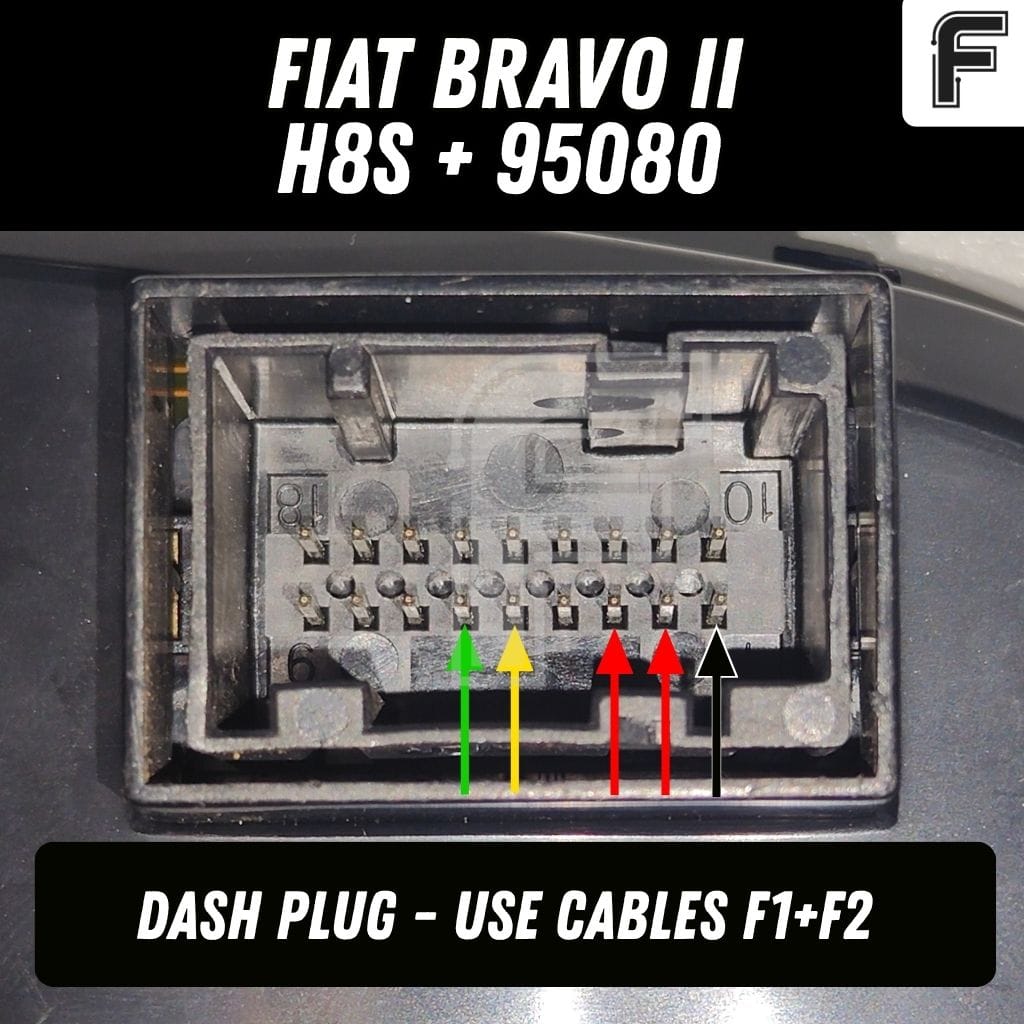
OBD2 Mode directly inside the car, or Dash Plug Mode safely on your workbench.
The Pure 5-Wire Bench Setup
To pull the cluster out of the vehicle and execute hardware diagnostics, component swapping, or stress testing, you do not need an external CAN-bus generator. You can wake up the board and open a diagnostic channel using a quick 5-wire interface:
- Power Supply: 2x +12V inputs (Ignition + Battery)
- Ground Return: 1x Ground (GND) terminal
- Data Bus: CAN High (CAN H) and CAN Low (CAN L) communication lines
📌 Technical Note: While applying simple power and ground (two pluses and a mass) is enough to turn on the cluster lights, adding the CAN lines allows FORZA 614 to run active diagnostics and verify if the onboard transceivers are communicating with the rest of the vehicle network.
Odometer Calibration in Fiat Bravo II Dashboard
When a client's original dashboard is completely destroyed or has a corrupt processor, sourcing a used donor cluster is the fastest fix. However, to keep the vehicle legal and match its genuine service history, proper data adaptation is required.
- What FORZA 614 Can Do: Our specialized Fiat Bravo II software module allows you to cleanly reset, calibrate, and program the odometer values both up and down over the diagnostic bus.
- What it Cannot Do: Due to the hardware architecture of the Magneti Marelli system, a full diagnostic read or write clone of the raw 95080 EEPROM chip dump is not possible over the CAN network.
If you suspect that the internal configuration data is completely corrupted or has a bad hex file, you must desolder the 95080 chip and handle it directly via a traditional serial EEPROM hardware programmer.
Stop Buying Single Licenses:
Switch to FORZA 614 Now
Why waste money buying single-model software licenses or paying expensive per-car token fees for older Italian vehicle protocols?
The Fiat Bravo II module - complete with high-resolution bench connection pinouts, hardware wiring maps, and automated communication speed matching - is completely unlocked under one simple monthly subscription fee (check actual price on PRICING page).
Whether we add support for an older Fiat or a premium modern truck, your active sub grants you instant access to everything we drop. Just refresh your app and get to work.
➡️ Switch to FORZA 614 today
Download our free PC application to explore the entire vehicle coverage database.


