

FORZA 614 software for MAZDA instrument cluster odometer calibration
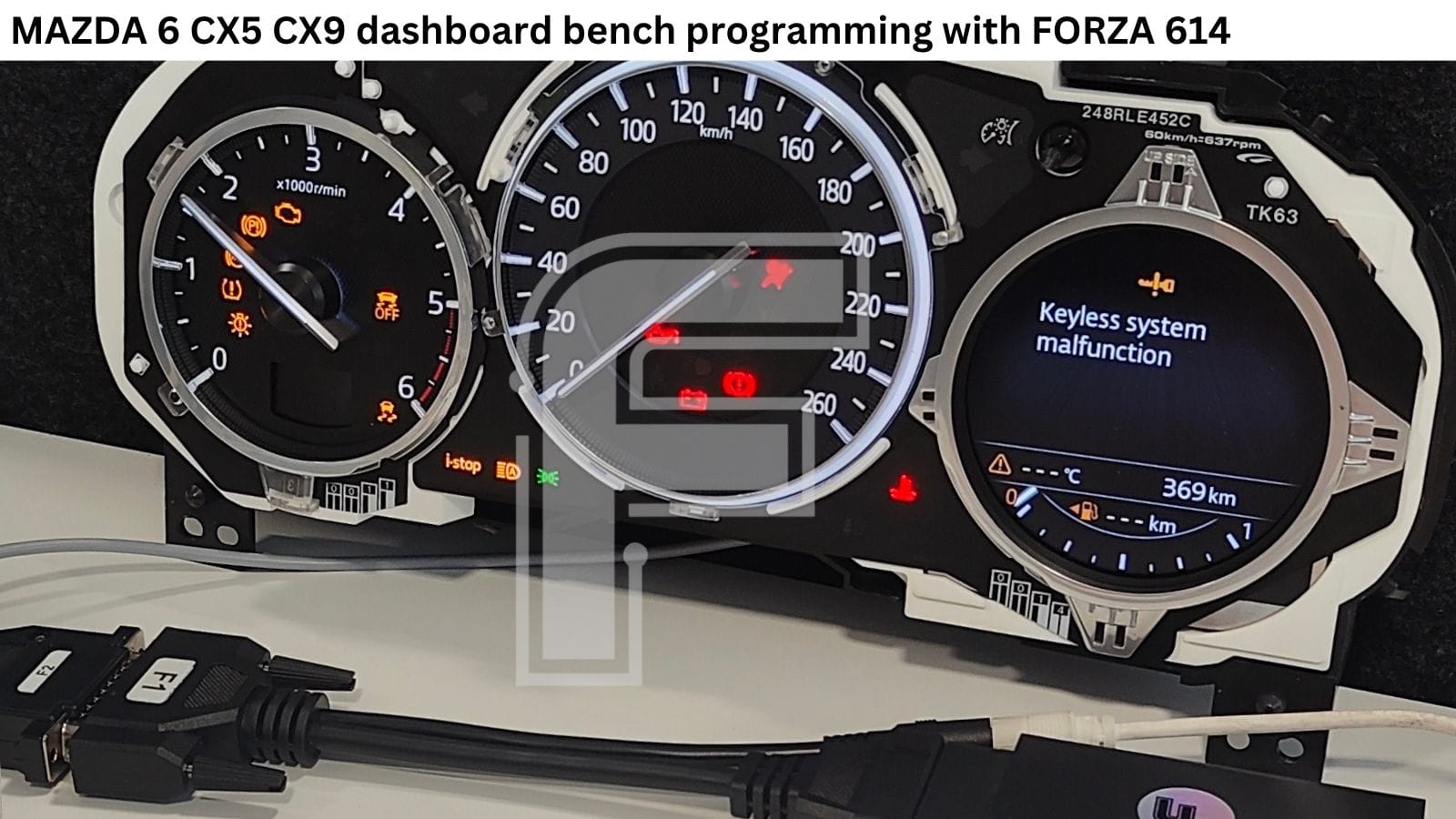
The software ecosystem for the FORZA 614 programmer is expanding once again. We have released support for Mazda 6, CX-5 and CX-9 instrument clusters driven by the Fujitsu MB91F594 MCU and an external 93C86 EEPROM chip.
In this technical guide, we break down the hardware architecture of these Calsonic Kansei units, point out the mechanical steps required for a full tear-down and demonstrate how FORZA 614 simplifies your workshop workflow.
MAZDA 6 / CX-5 / CX-9 Instrument Cluster Odometer Calibration
Hardware Architecture: Inside the Calsonic Kansei Mazda Platform
True to Mazda’s brand philosophy, these instrument clusters feature an elegant, driver-focused, and clean design without unnecessary gimmicks. Manufactured by Calsonic Kansei, the cluster configuration consists of two classic analog gauges (tachometer and speedometer), a small secondary display dedicated to the current gear indicator, and a main digital LCD screen.
Hardware Component Reference:
- The Main MCU: Operations are governed by the Fujitsu MB91F594 processor
- The EEPROM: Odometer storage and system configurations reside in an external 93C86 chip (SOIC8 package)
- The LCD Display: The main screen module is manufactured by GIANTPLUS, carrying the part number GPM1557A0
- The Stepper Motors: The analog needles are driven by specific motors stamped with the part number 6602G and the Calsonic Kansei logo
When you remove the rear plastic cover of the cluster, the main electronics - including the MB91F594 MCU, CAN-bus transceivers, power leds and regulation components - are immediately visible. However, if you ever need direct access to the 93C86 EEPROM or the GIANTPLUS screen, you must physically remove the two gauge needles from their 6602G stepper shafts.
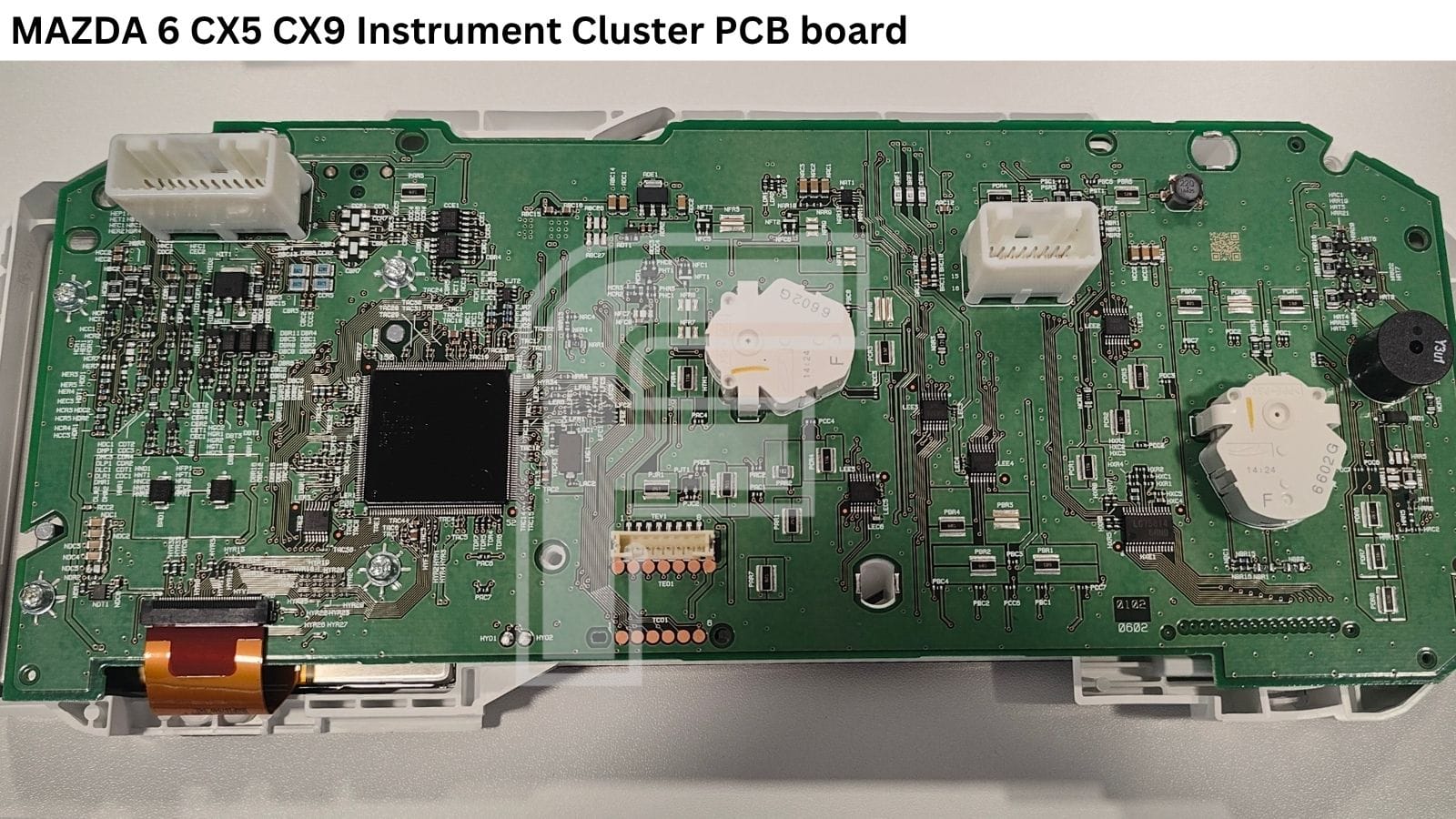
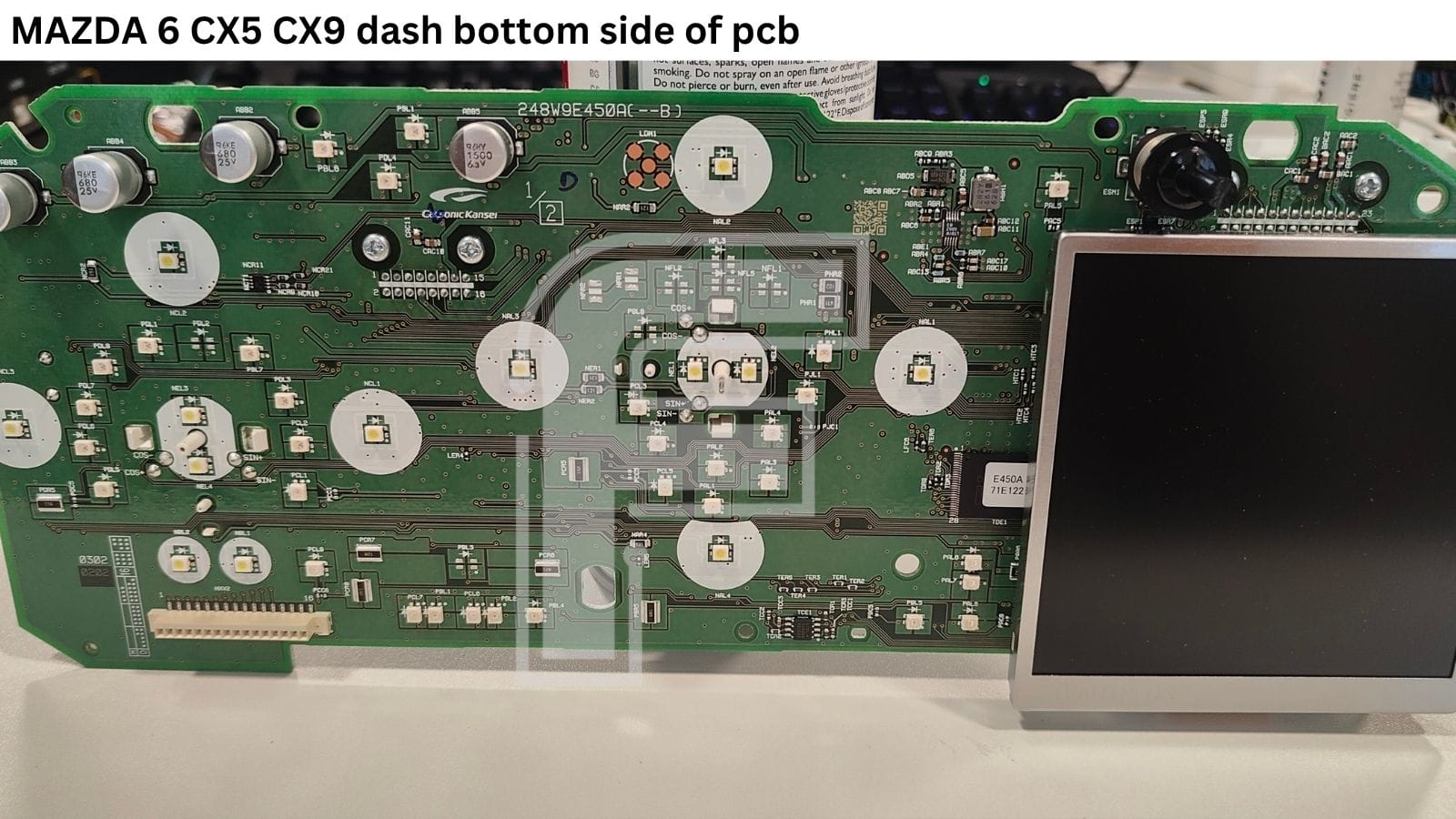
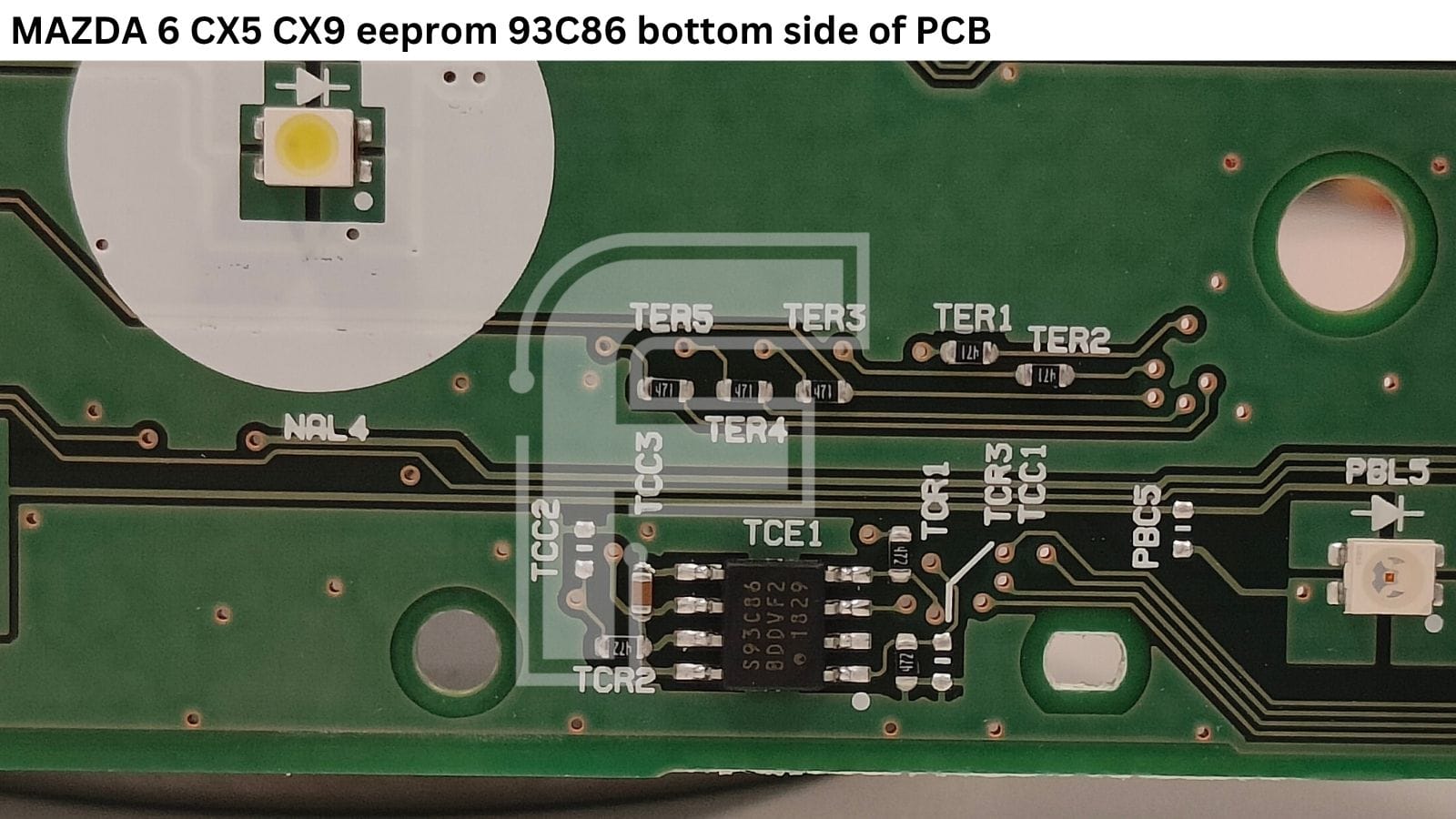
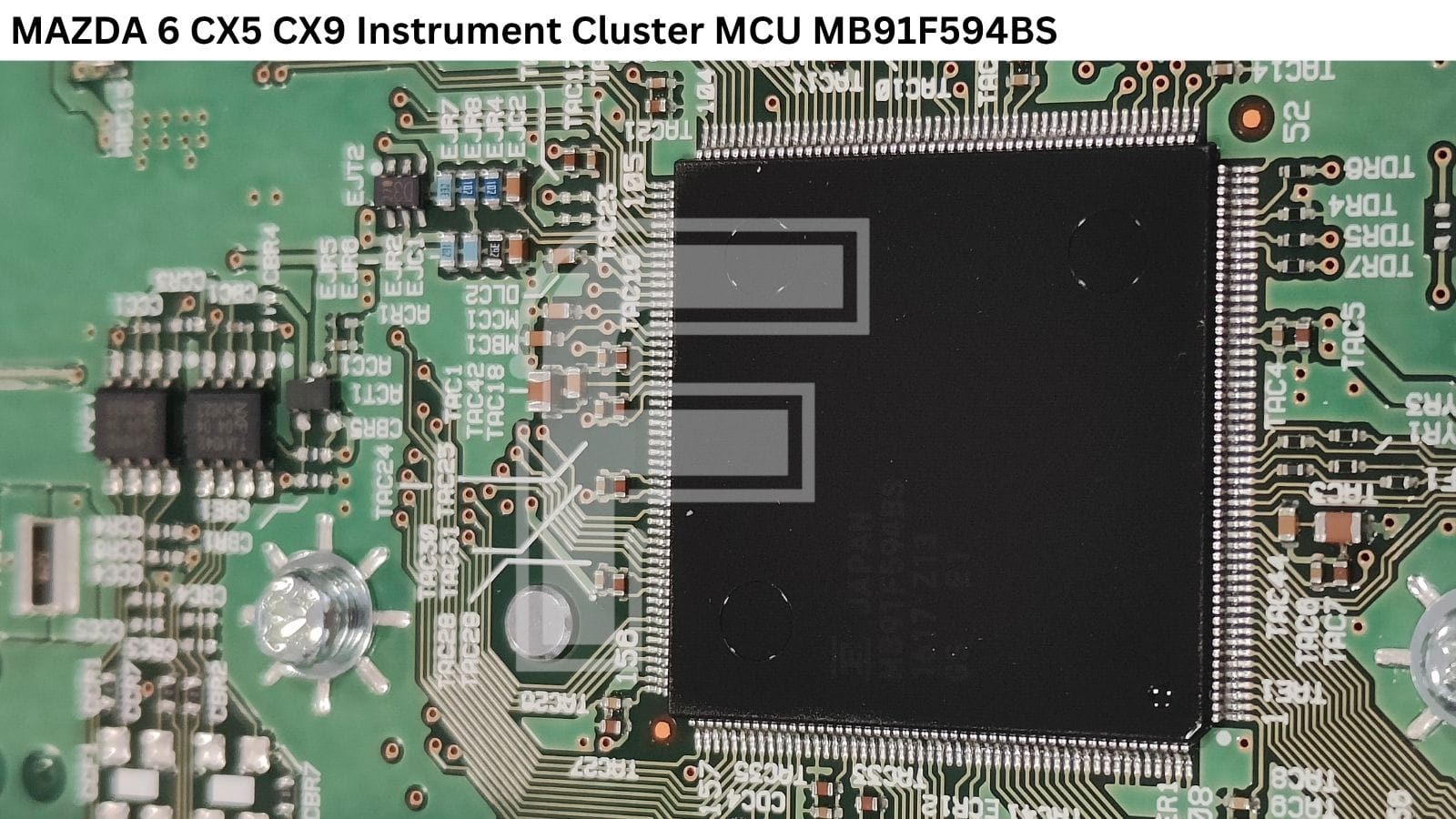
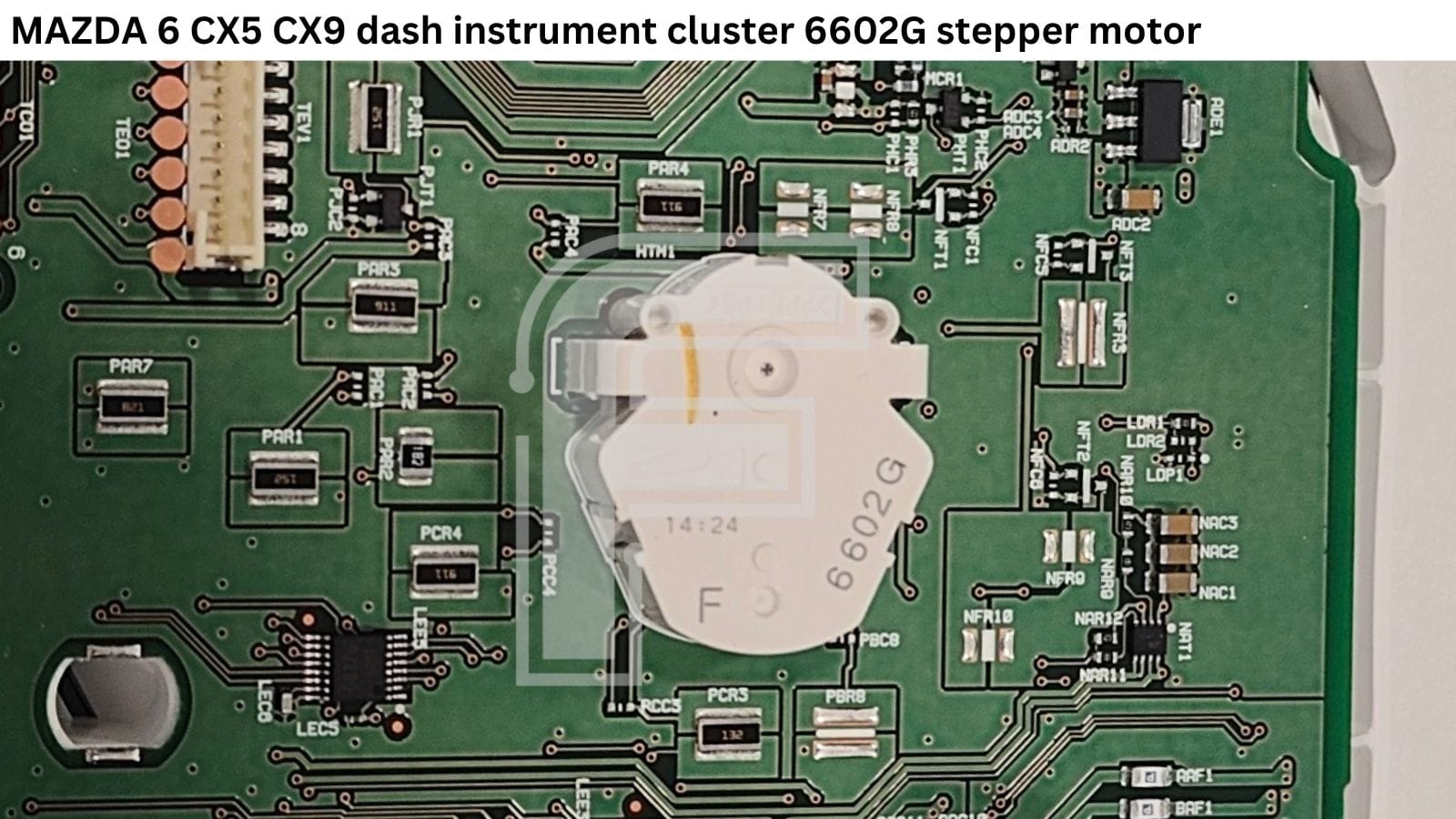
MCU : MB91F594
EEPROM: 93C86
Display LCD: GIANTPLUS GPM1557A0
Stepper motor: 6602G
Safe Bench Testing: Power-Up and CAN-Bus Verification
Before executing any programming routines, it is always best practice to verify the cluster's basic functionality on your workbench.
Fortunately, this Mazda platform does not require a vehicle CAN-bus wake-up signal to boot on the bench. The 3-Wire Boot: Connecting two +12V lines and a single GND line is all it takes to power up the cluster. The display will immediately illuminate, allowing you to visually inspect the screen health and look for any pixel defects.
- CAN-Bus Verification: By adding the CAN High and CAN Low lines to your power loop, you can attempt to establish a diagnostic session using FORZA 614. If the device pairs successfully, you have solid proof that the cluster's internal transceivers and communication lines are fully operational.
Mileage Synchronization:
OBD2 vs. Bench Pinout Programming
When handling an instrument cluster replacement - whether you are adapting a used donor unit from another car or programming a brand-new factory replacement with a zeroed odometer - accurate mileage calibration is vital.
FORZA 614 gives you full control over this platform, allowing you to program the odometer value both up and down.
To make your job as flexible as possible, the software supports two distinct working modes:
- OBD2 Mode: Complete the job directly in the vehicle via the factory diagnostic port.
- Bench Mode (Dash Pins): Execute the programming on your workbench using direct pin connections with cables F1+F2.
(The exact, high-resolution pinout diagram is always accessible directly inside the FORZA 614 PC software).
⚠️ Tech Note: It is important to know that this specific Mazda platform does not support full diagnostic reading or writing of the entire 93C86 EEPROM data via the plug. Full EEPROM dumping still requires direct chip access but FORZA 614 completely bypasses this obstacle if your only goal is safe, prompt odometer calibration.


